General
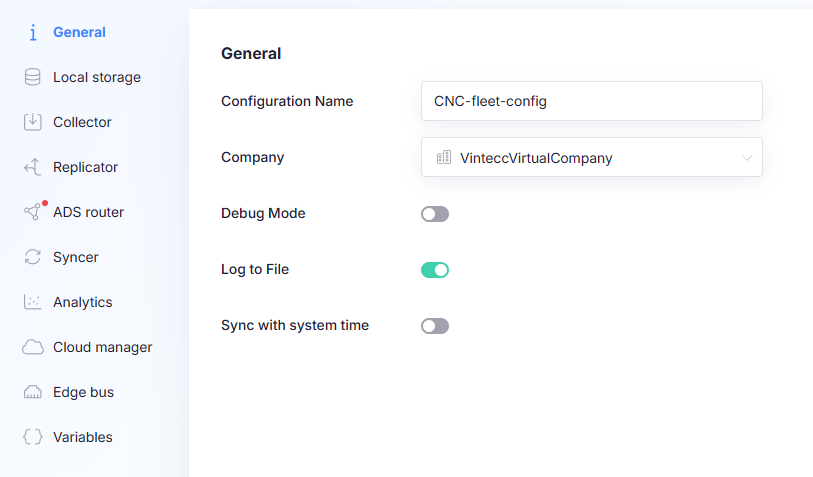
The General page contains the core settings for a gateway configuration, including logging behavior and time synchronization.
Settings
Configuration Name
Sets the name of the configuration.
Use a clear, descriptive name so configurations are easy to identify. Append version (e.g. MyConfigV3) when applicable.
Company
Selects the company this gateway configuration belongs to.
Debug mode
Enables debug logging.
When enabled, the gateway produces more verbose logs, which can be useful for troubleshooting or support investigations.
Log to file
Enables file logging.
- Enabled: logs are written to a file on the gateway system.
- Disabled: logs are written only to the console.
Sync with system time
When selected, all connections will use the time of the gateway system to synchronize measured datapoints.
This is useful when:
- you want consistent timestamps across connections,
- devices have inconsistent time settings,
- you want the gateway to act as the authoritative time source for measurement alignment.
If this option is not selected, connections may rely on time information from individual sources/devices, depending on the connector.