Welcome to Capture
Capture is an industrial data platform that connects your shop floor to the cloud. It combines edge data collection with a powerful cloud application suite to help you monitor, analyze, and optimize your operations. 80% turnkey, 100% yours.
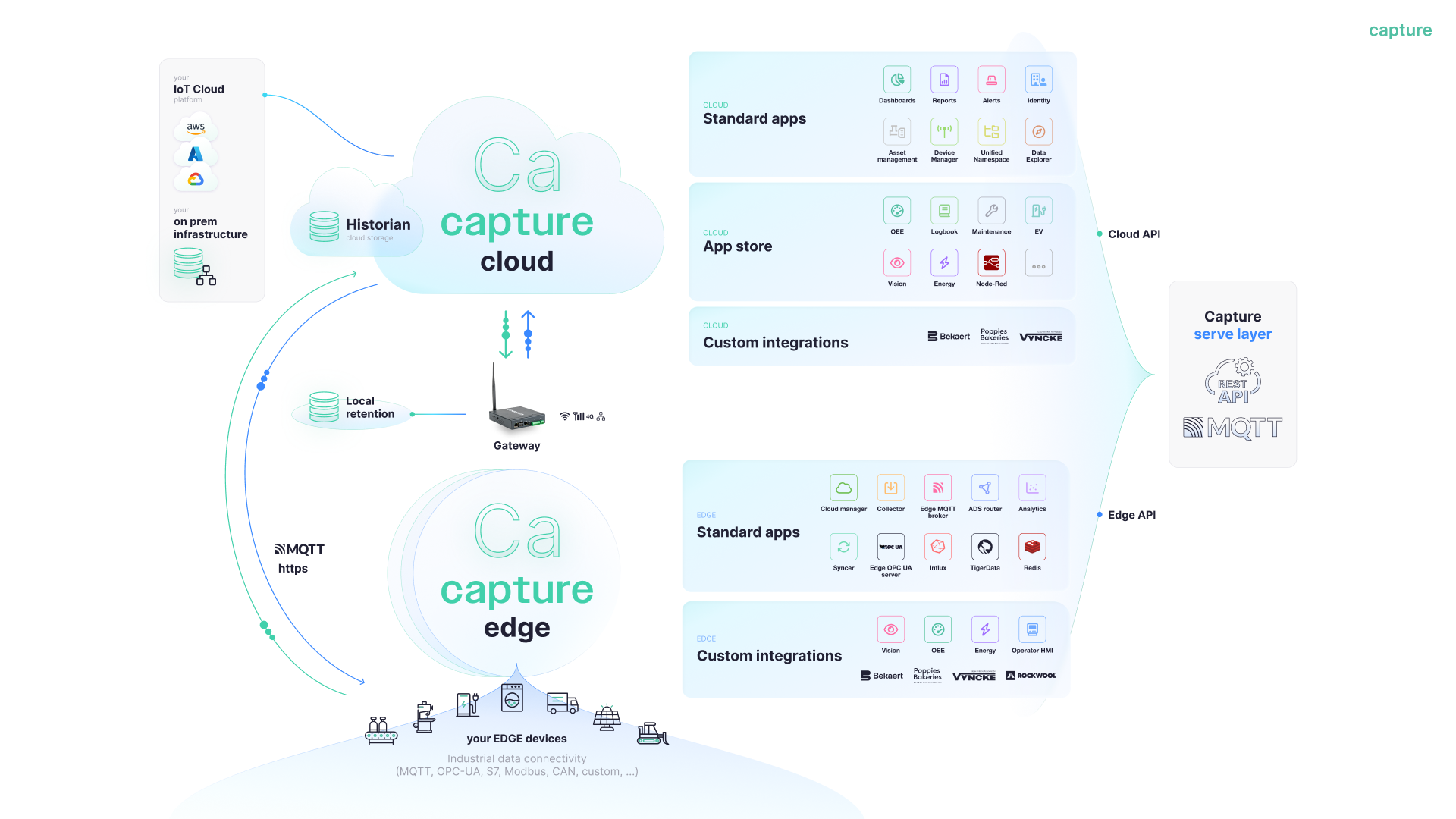
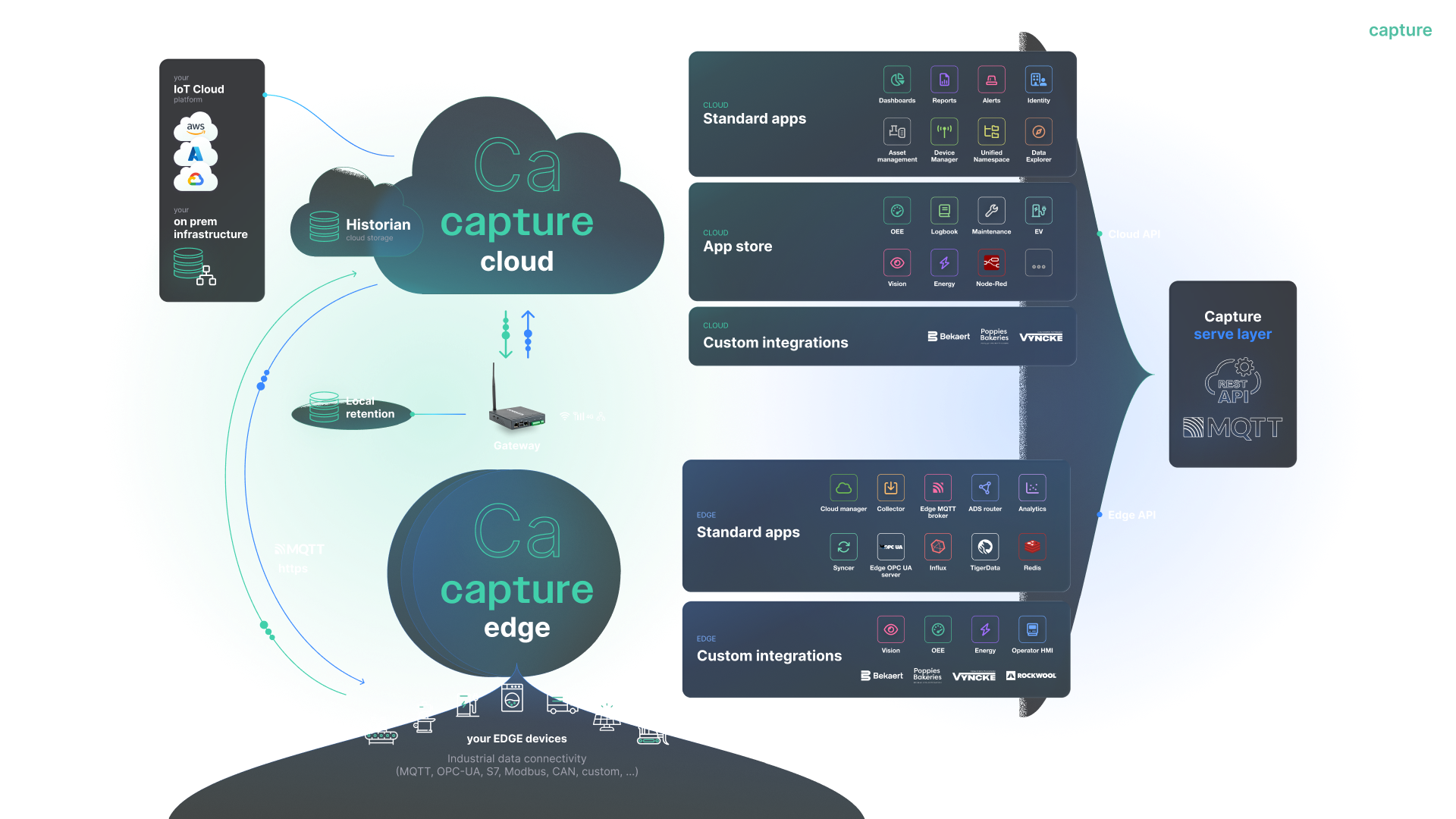
Cloud App Ecosystem
The Capture Cloud platform provides a complete set of applications to manage your industrial data, from collection to insight.

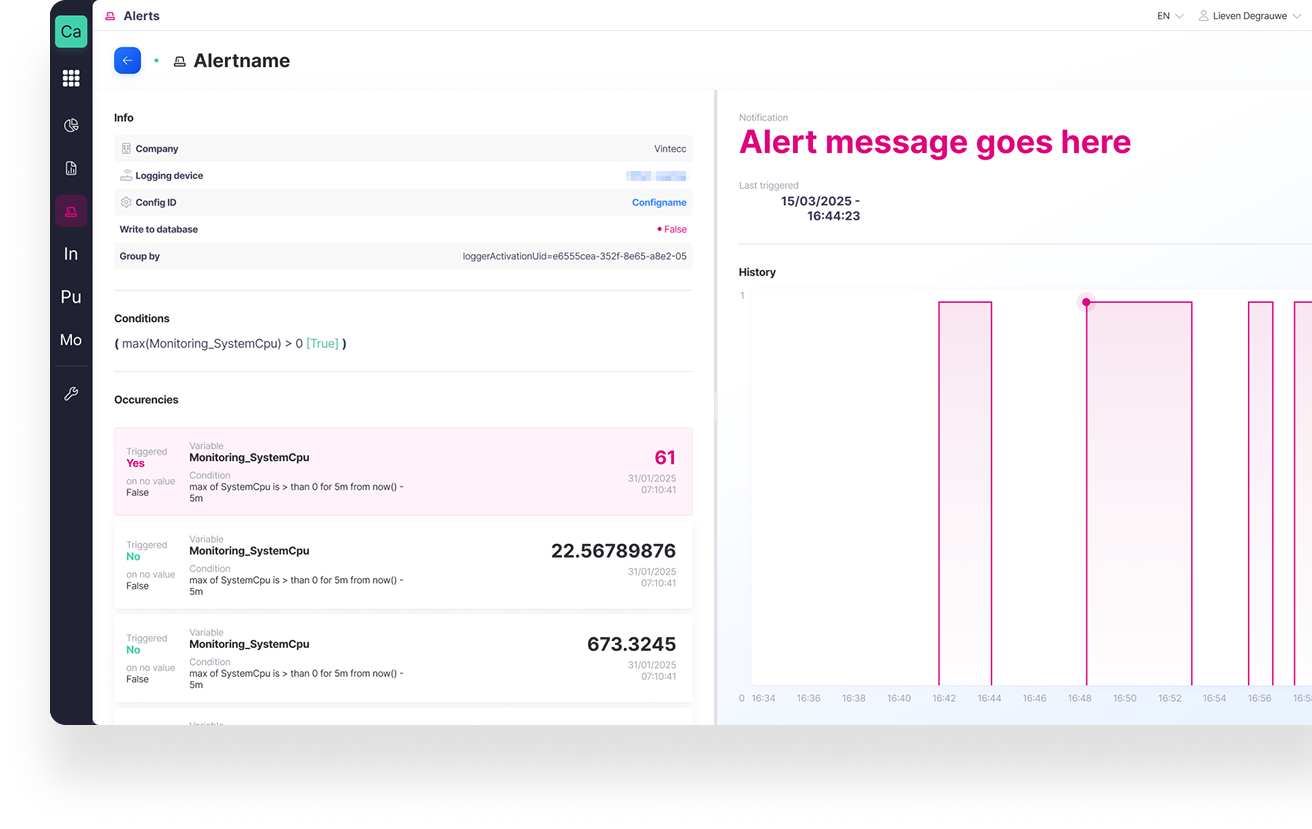
Alerting
Improving the existing alerting app to allow you to define custom events that trigger alerts.
Provides interactive dashboards and visualizations based on Capture data (time-series, KPIs, events) via native connection with UNS and Historian.

Reporting
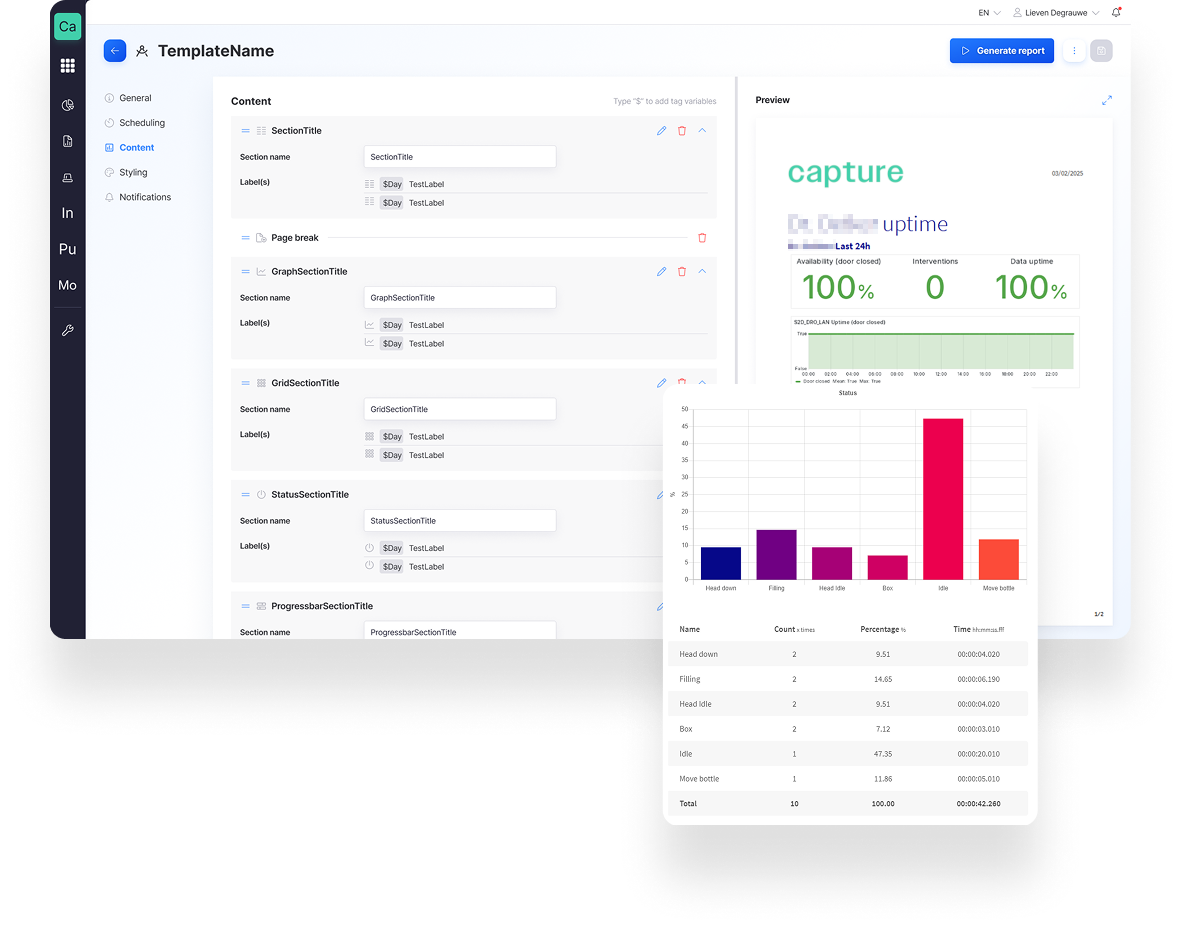
Improving the existing reporting app to allow you to configure and automatically generate the reports you need.
Eliminates manual reporting, increases consistency and traceability.

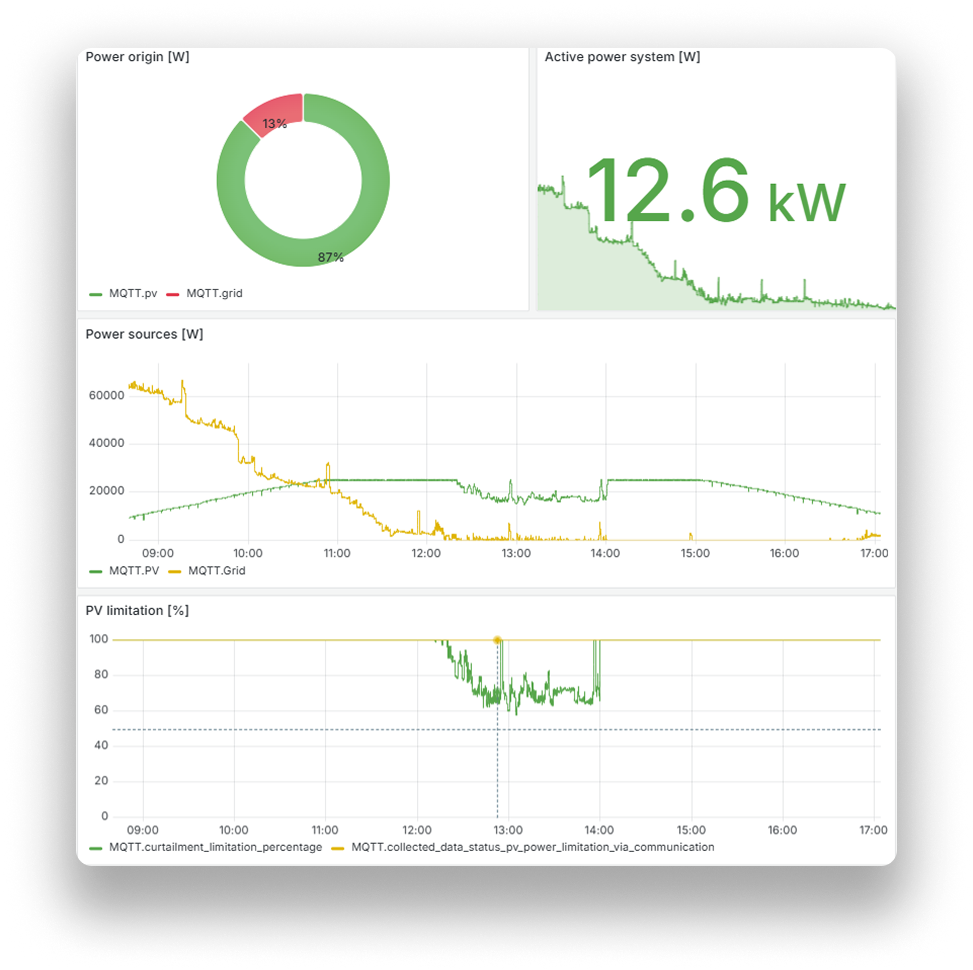
Grafana dashboards
Fast and flexible visualization without customization; one unified KPI language across OT, IT, and management.
Provides interactive dashboards and visualizations based on Capture data (time-series, KPIs, events) via native connection with UNS and Historian.

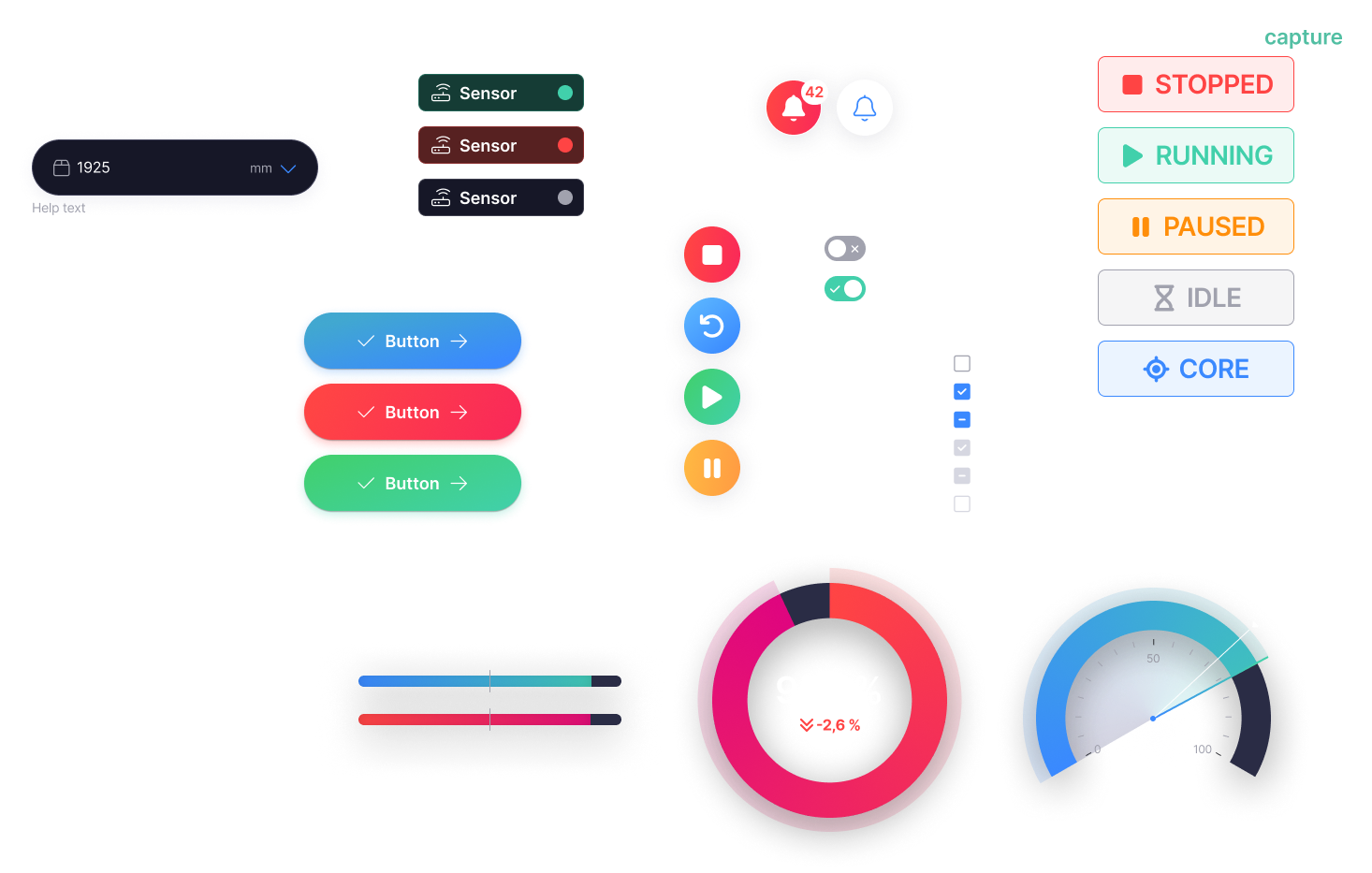
Interact app builder
Rapid Application Development: Empowers users to build custom, data-driven interfaces instantly without deep coding expertise.
Fast digitization without heavy MES projects; maximum flexibility for sites.

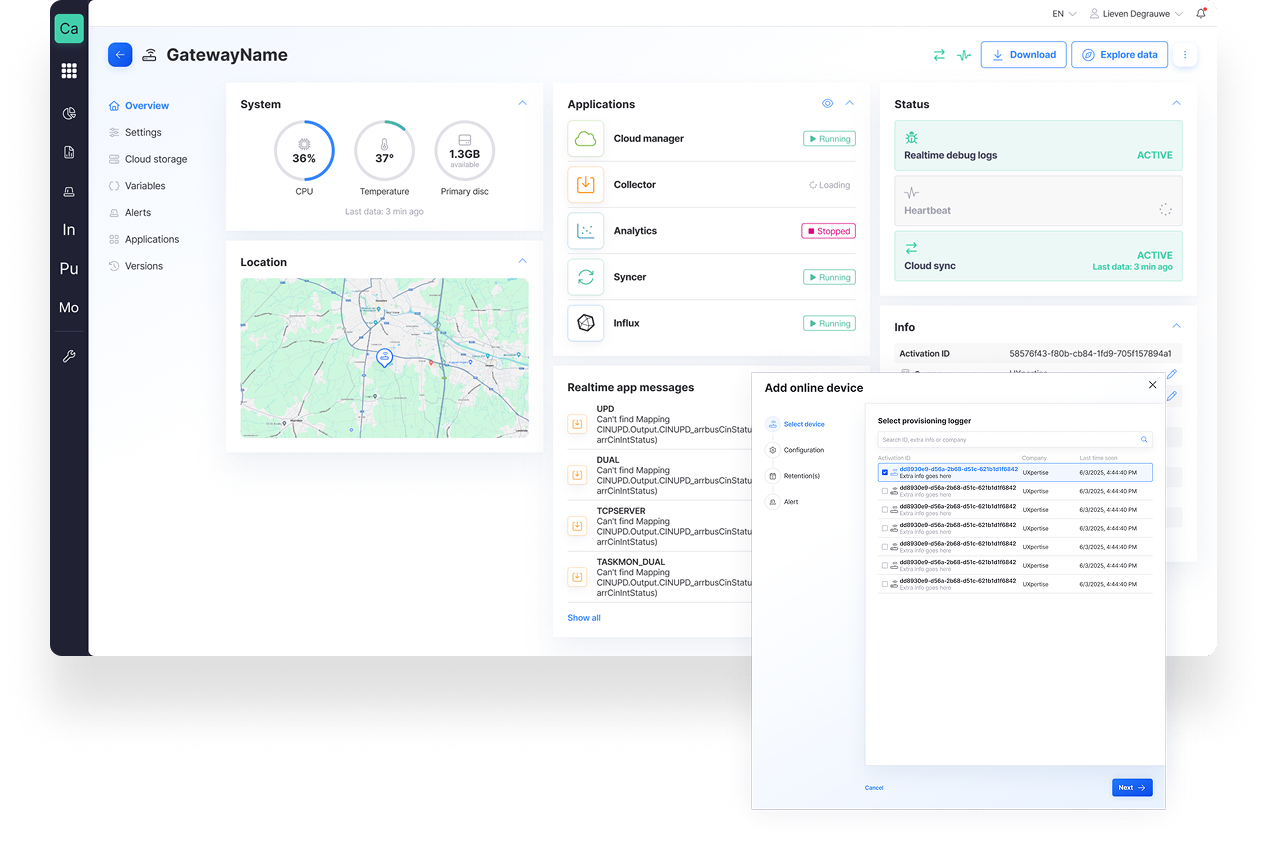
Sources
Improving the existing sources pages for clearer insights into device status and running applications.
Full control of Edge fleet; simplifies management and support.

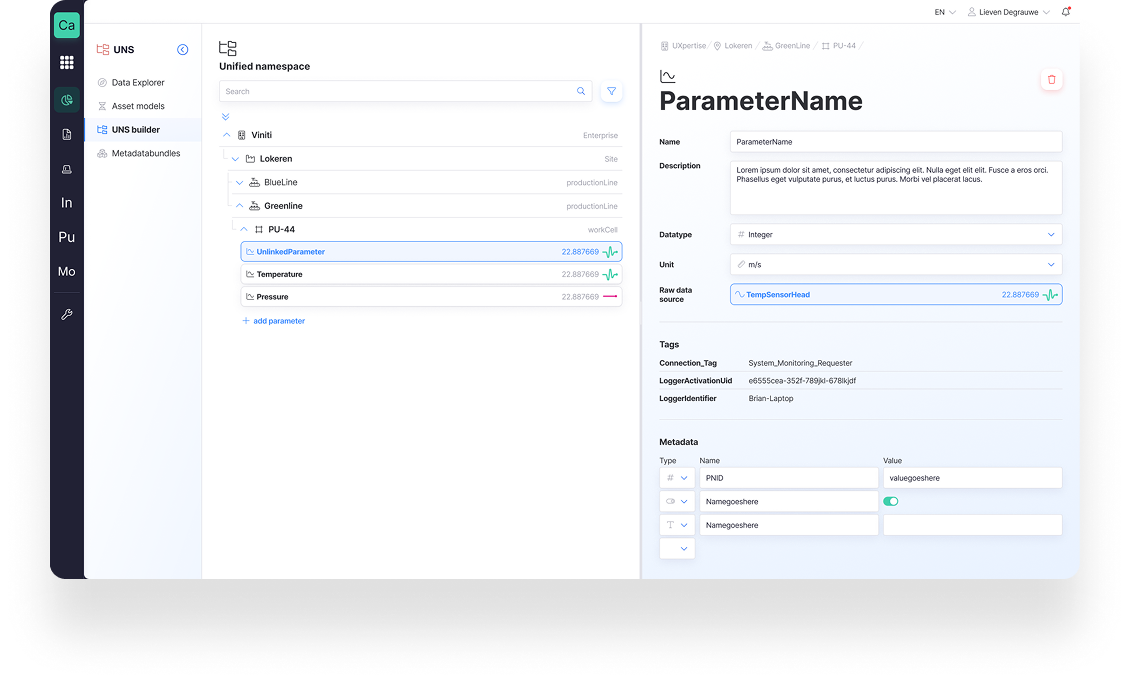
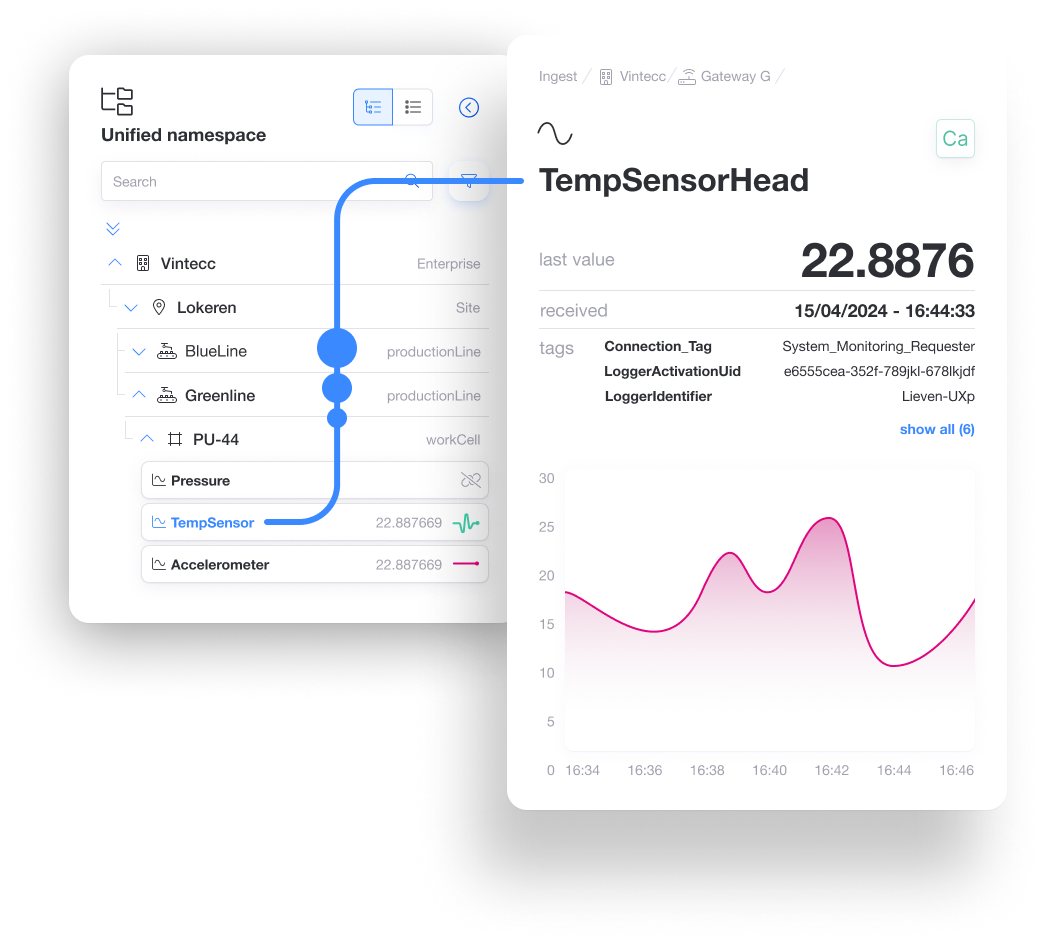
Unified Namespace
Introducing the unified namespace module, where you can model your entire industrial company structure according to the ISA standard and link it to raw data sources.
One source of truth; drastic reduction of point-to-point integrations; future-proof architecture. Makes Capture event-driven, simplifies integrations, reduces point-to-point links, and accelerates digital use cases.

Data Explorer
Introducing the data explorer, providing a visual overview of how data moves from raw data points into the unified namespace.
Fast root-cause analysis and deep data insight for engineers and process managers.

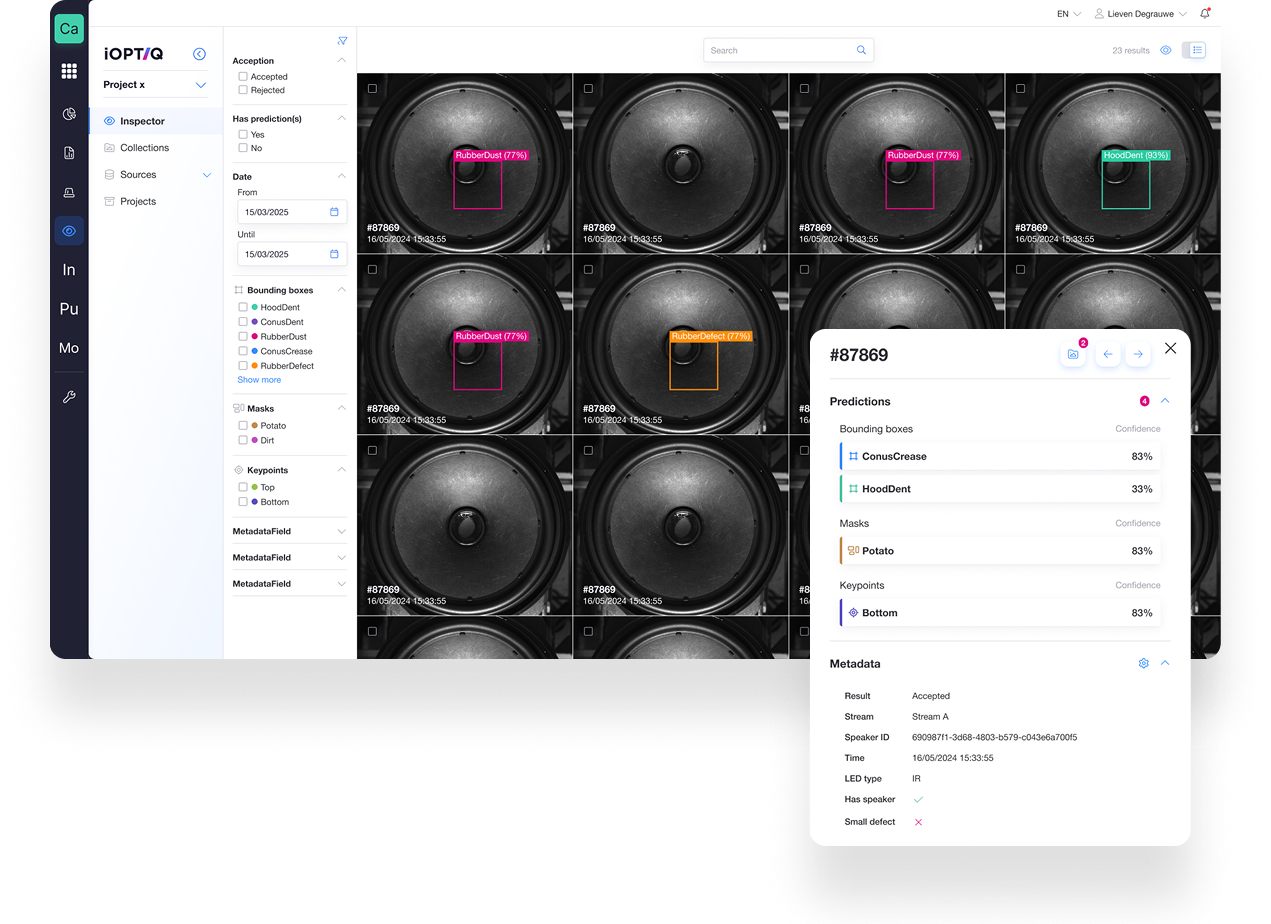
iOptiq
The iOptiq application provides insights into the performance of your AI vision model and serves as a foundation for deeper analysis and model (re)training.
Improves quality control and traceability and integrates vision data into broader OT/IT use cases.

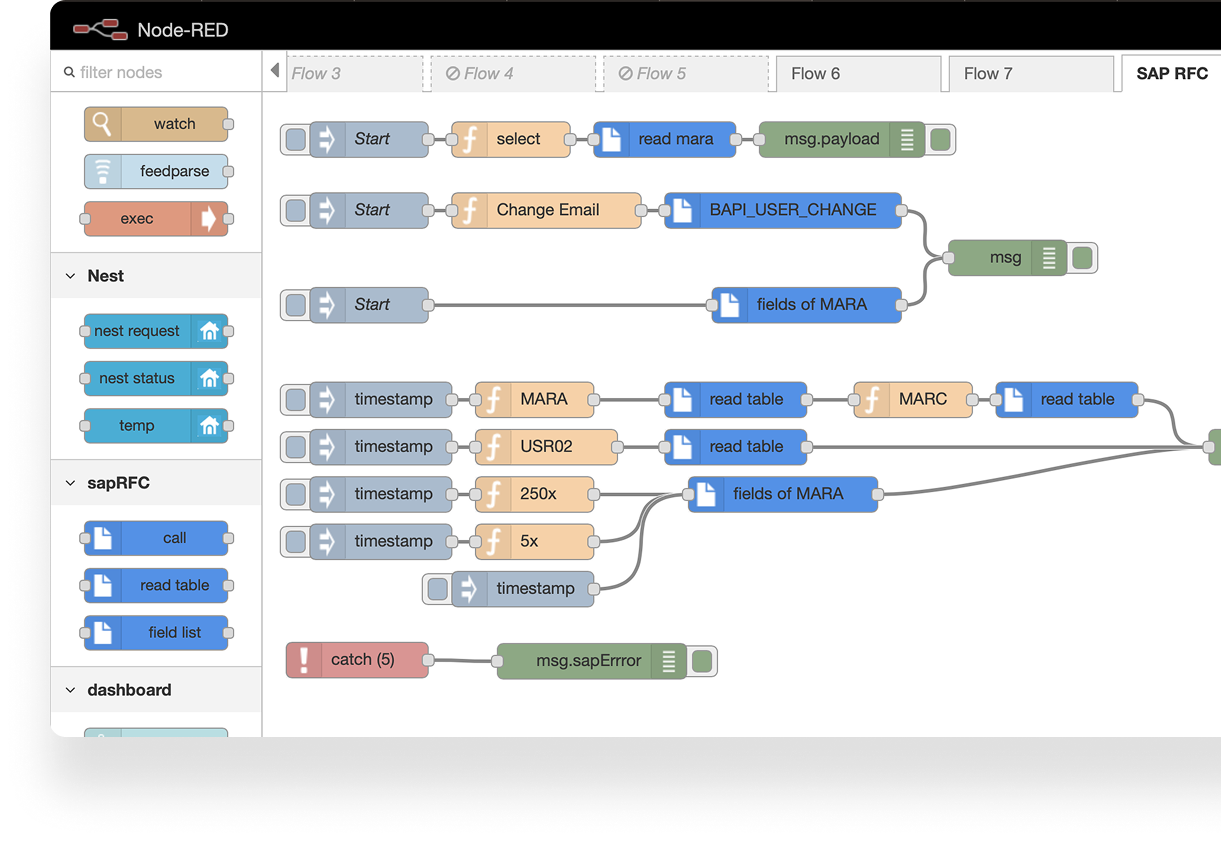
NodeRed integration
Node-RED Engine: Flexible, low-code data transformation and event-driven logic at the edge.
Fast integrations and business logic without custom software development.

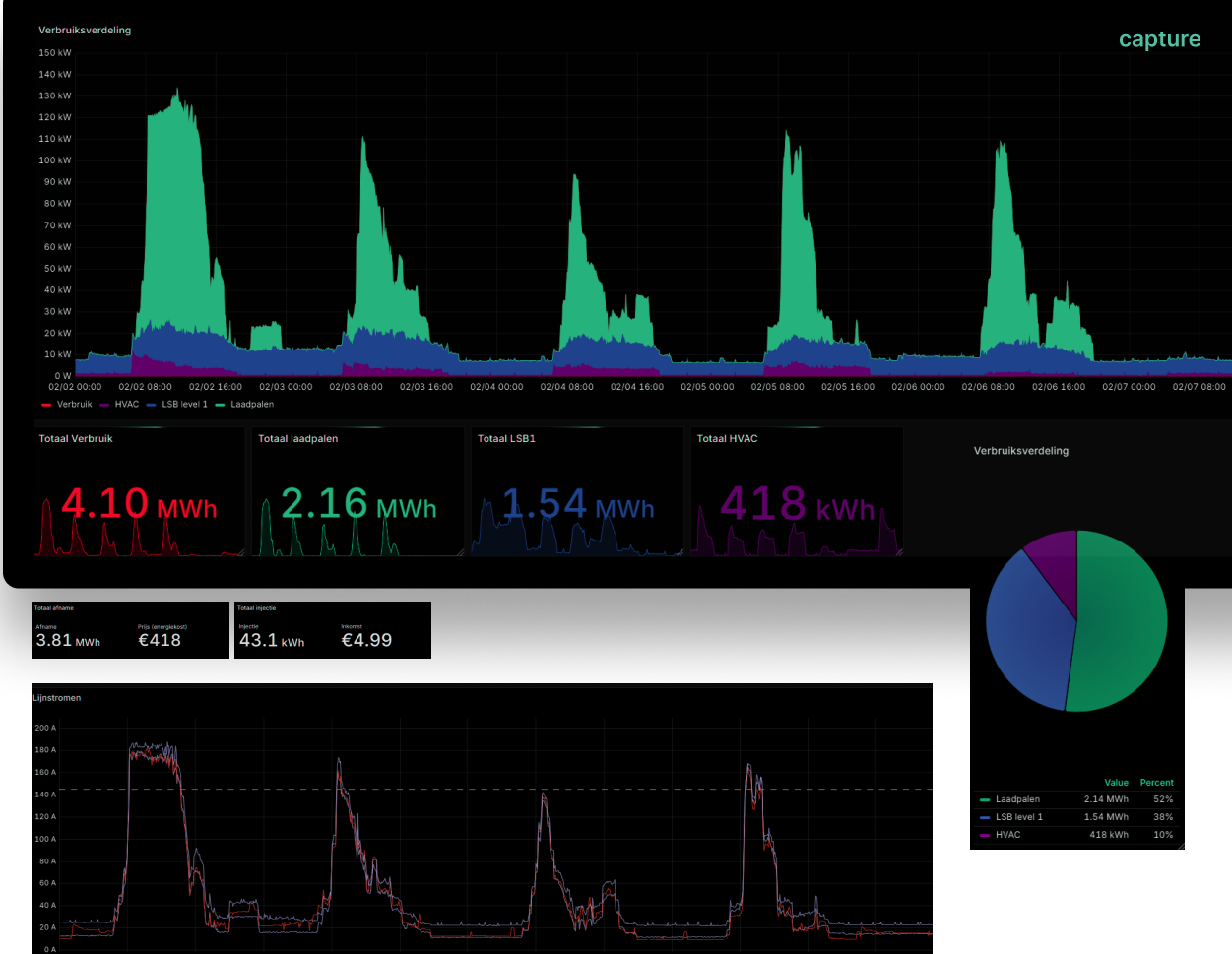
Grafana Energy monitoring
Real-time monitoring of power consumption patterns to identify waste and optimize resource allocation.

OEE
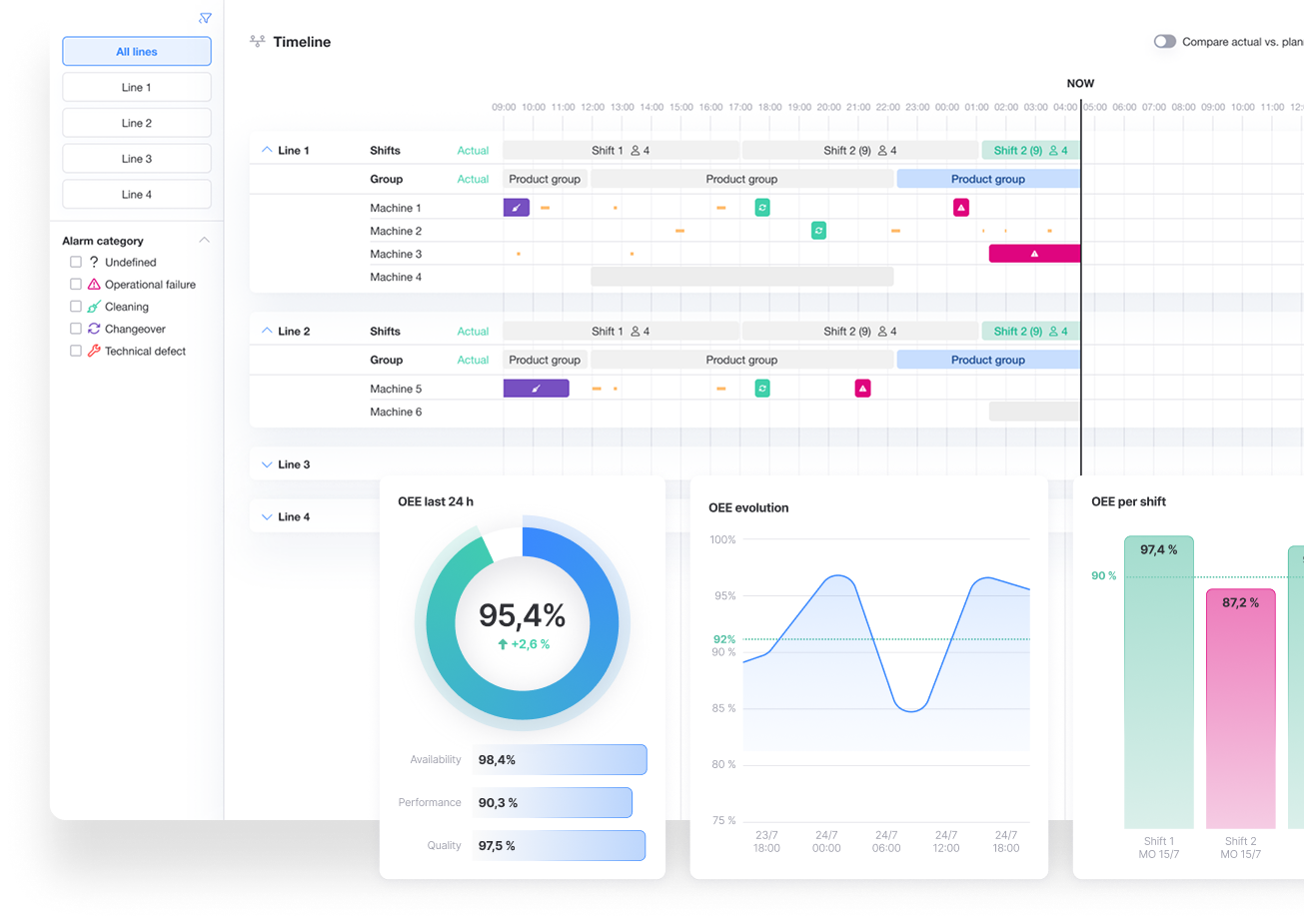
The OEE application enables operators to add context to standstills and provides valuable insights into your production performance.
Objective performance measurement and continuous improvement. Makes production loss transparent, supports continuous improvement and accelerates ROI on operational data.

Logbook
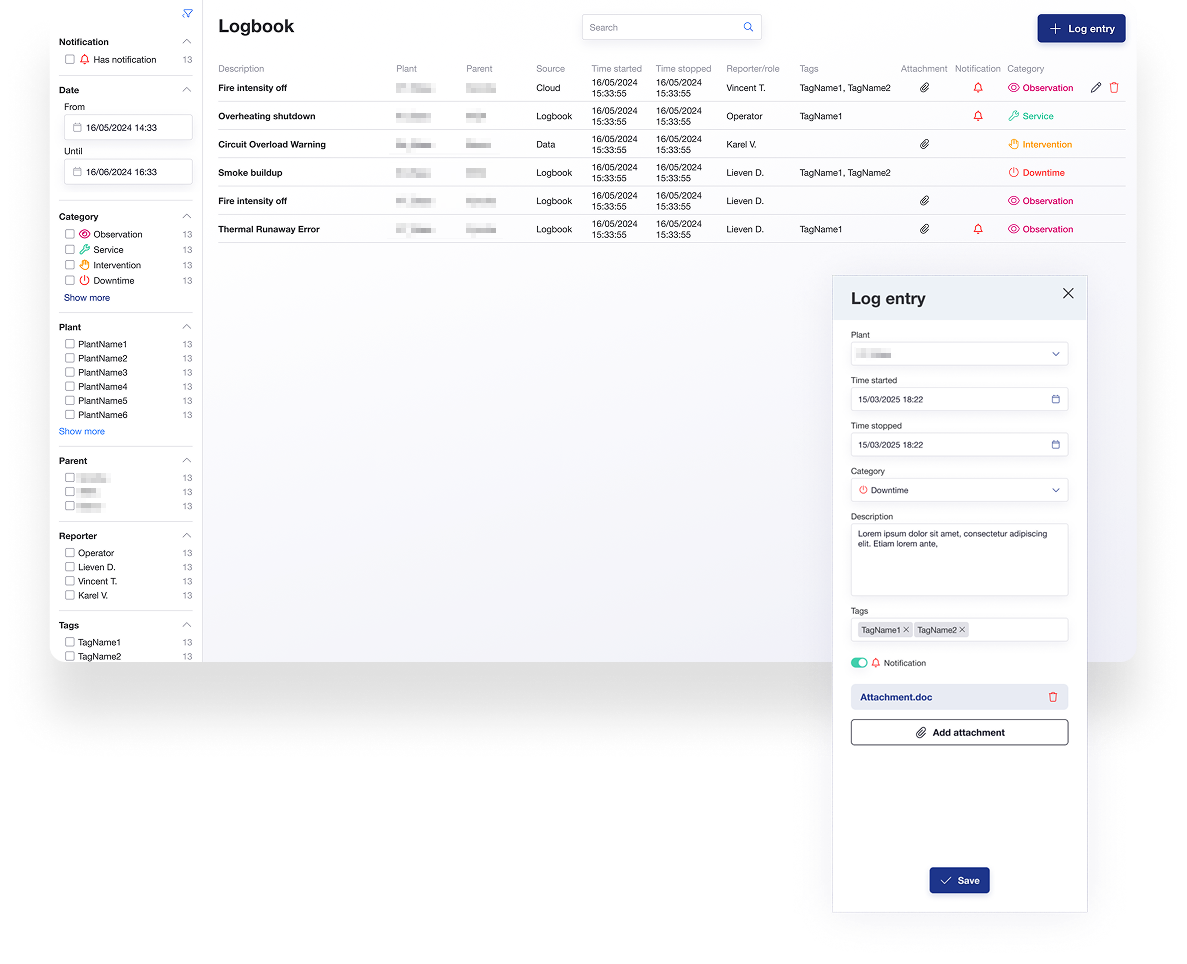
Introducing the logbook, allowing you to record observations, downtime, service interventions, and any other factors that impact production output.
Better team transfer and knowledge retention.
Coming Soon ...
These applications are currently in development and will be available in the coming months. Stay tuned for updates!

EVspot
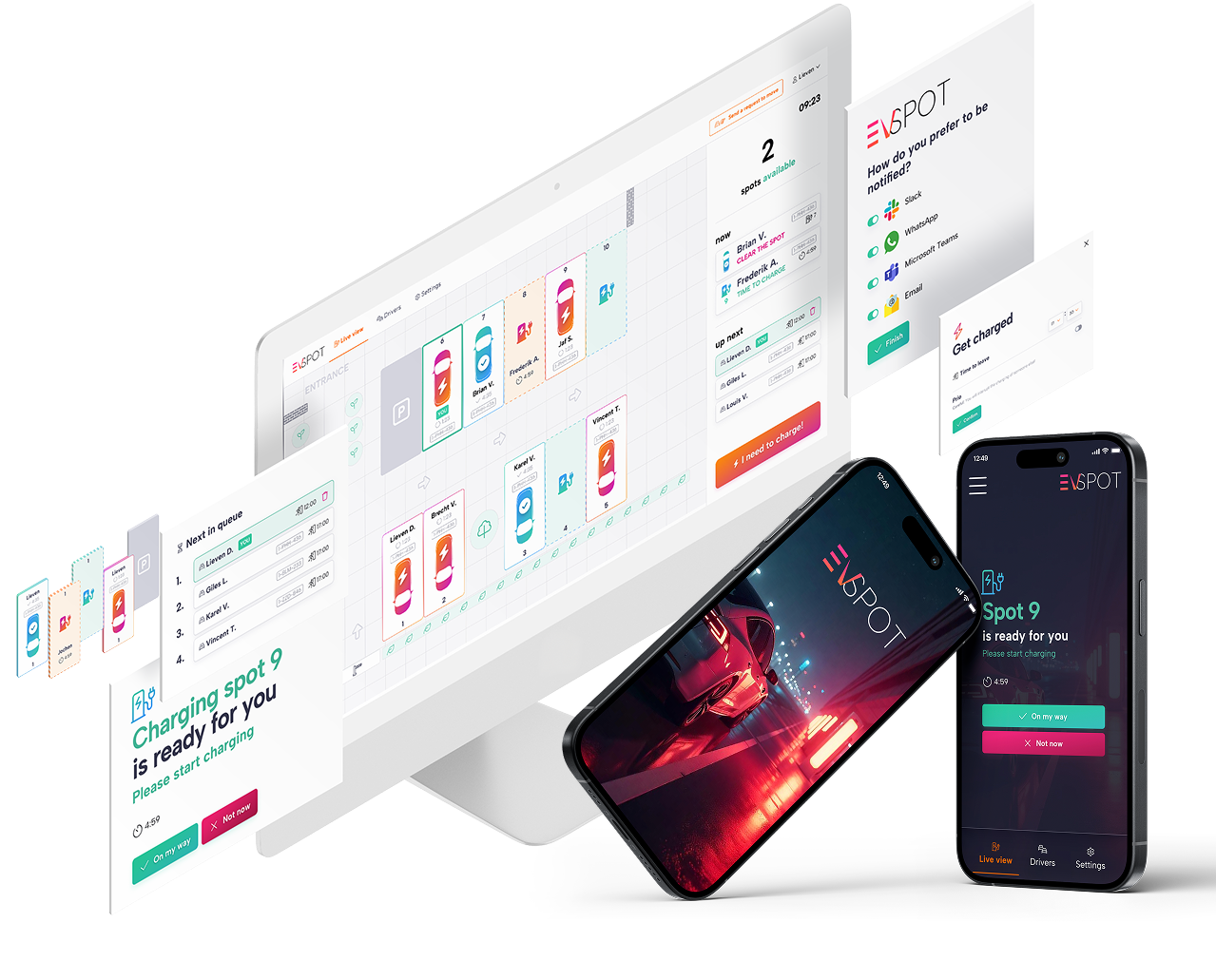
EVspot optimizes your parking lot and streamlines charging for your electric vehicle fleet through smart scheduling, prioritization, and timely notifications.
Insight and control over EV energy consumption in industrial or logistics environments. Provides insight into energy consumption and charging infrastructure and supports electrification initiatives.

Capture GPT
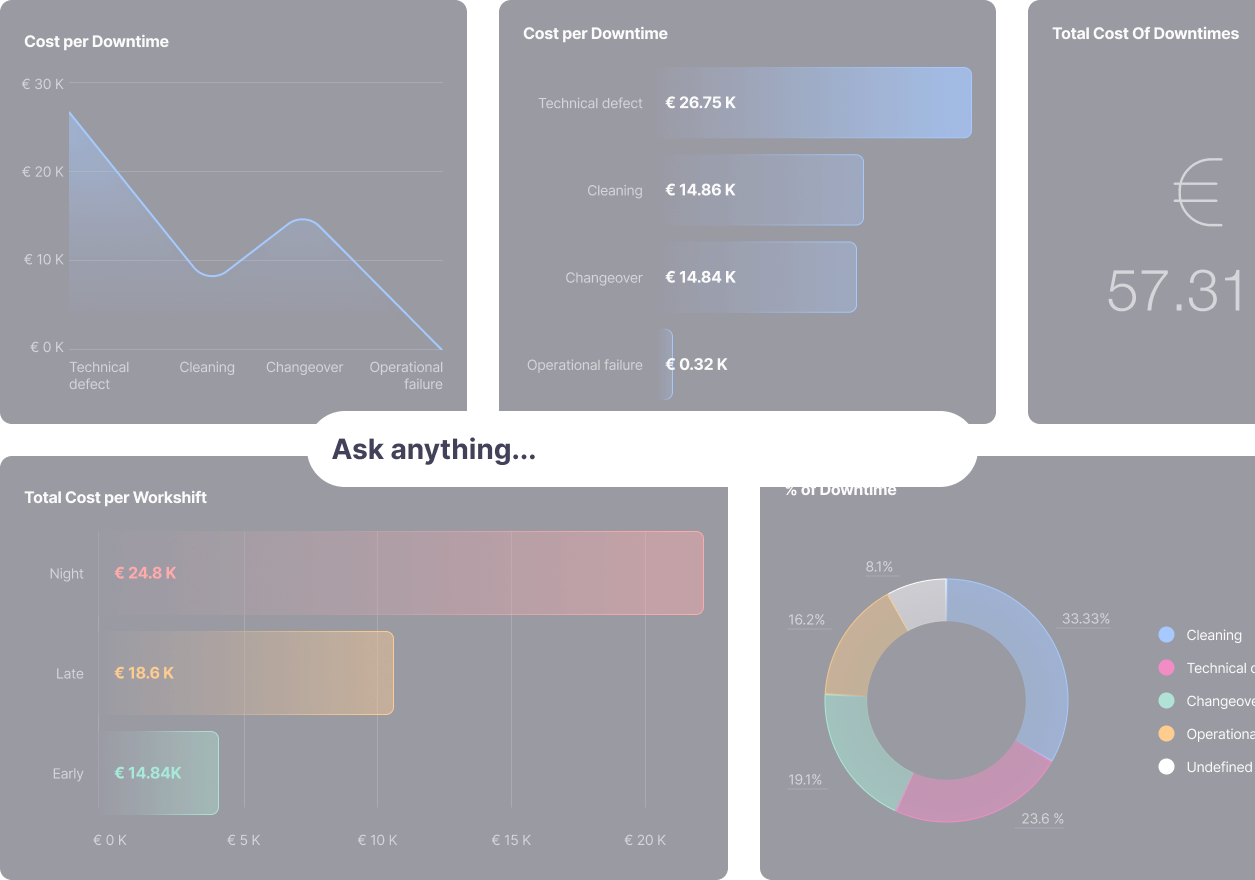
An integrated large language model which has full access to your documentation, and your data.
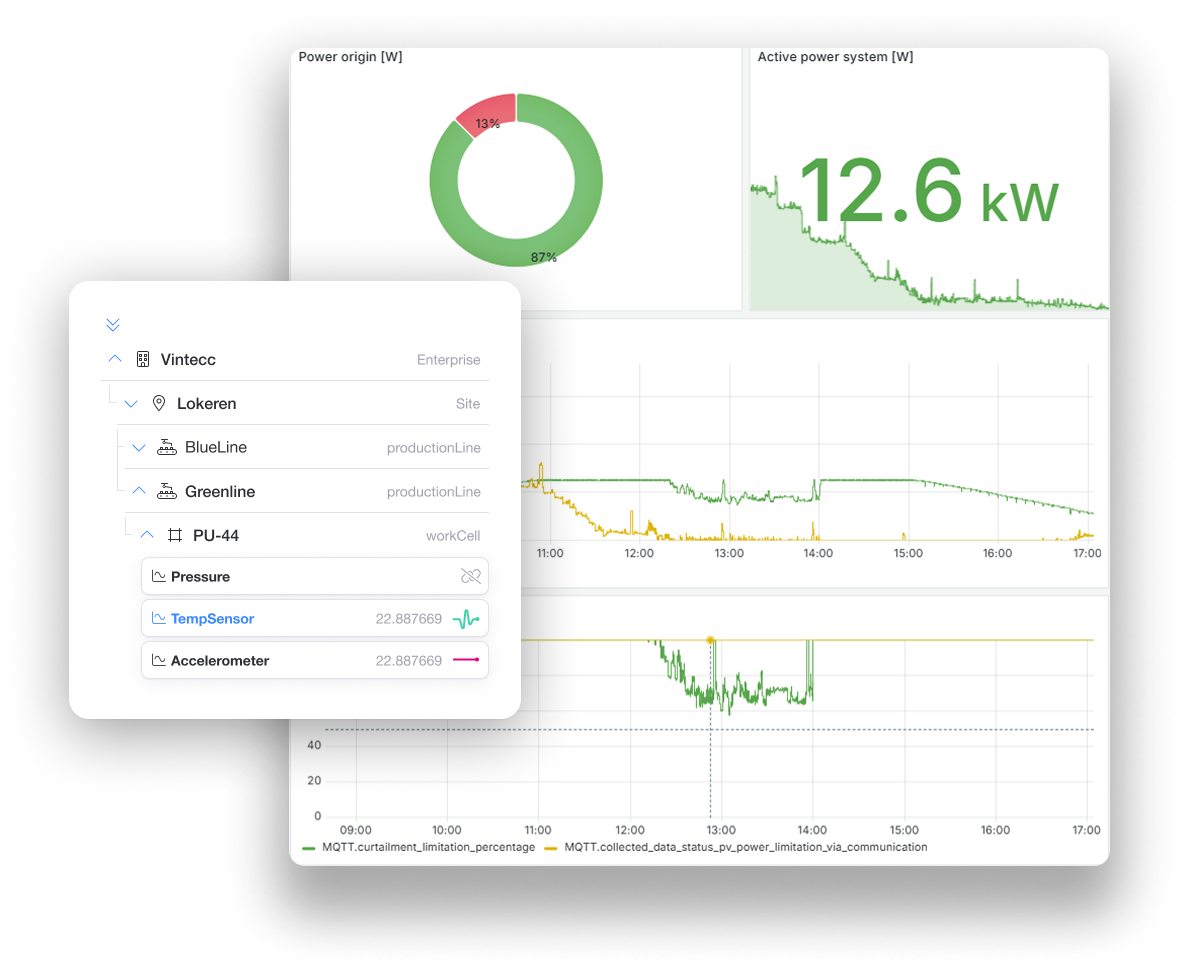
Grafana UNS plugin
Context-Aware Visualization: Instantly map complex UNS structures to Grafana, enabling rapid dashboarding without manual data re-mapping.

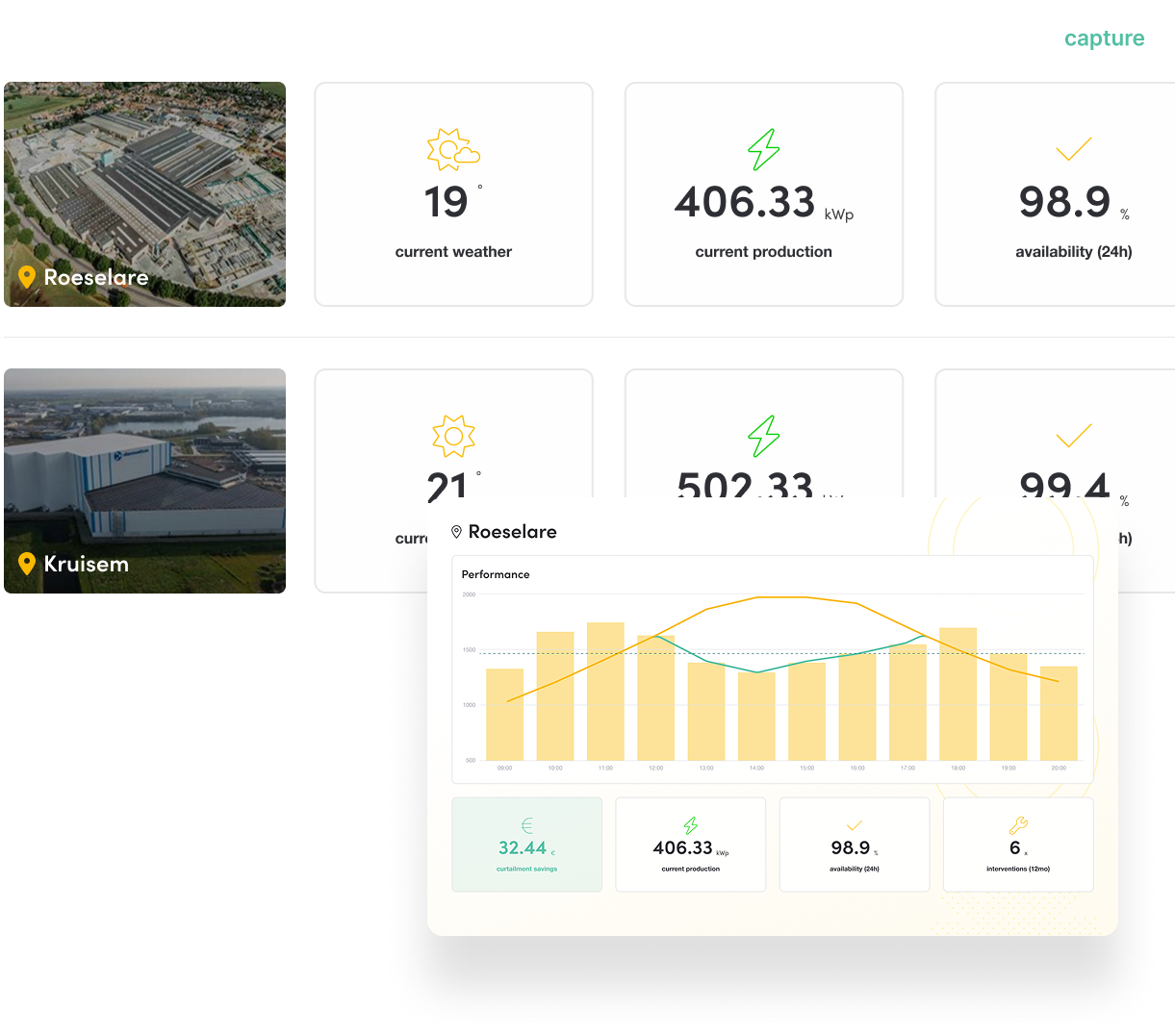
Energy Management
Introducing the energy monitoring application, connecting your factory's energy consumption and production, paving the way for smart energy management.
Supports energy savings, cost control and sustainability goals.

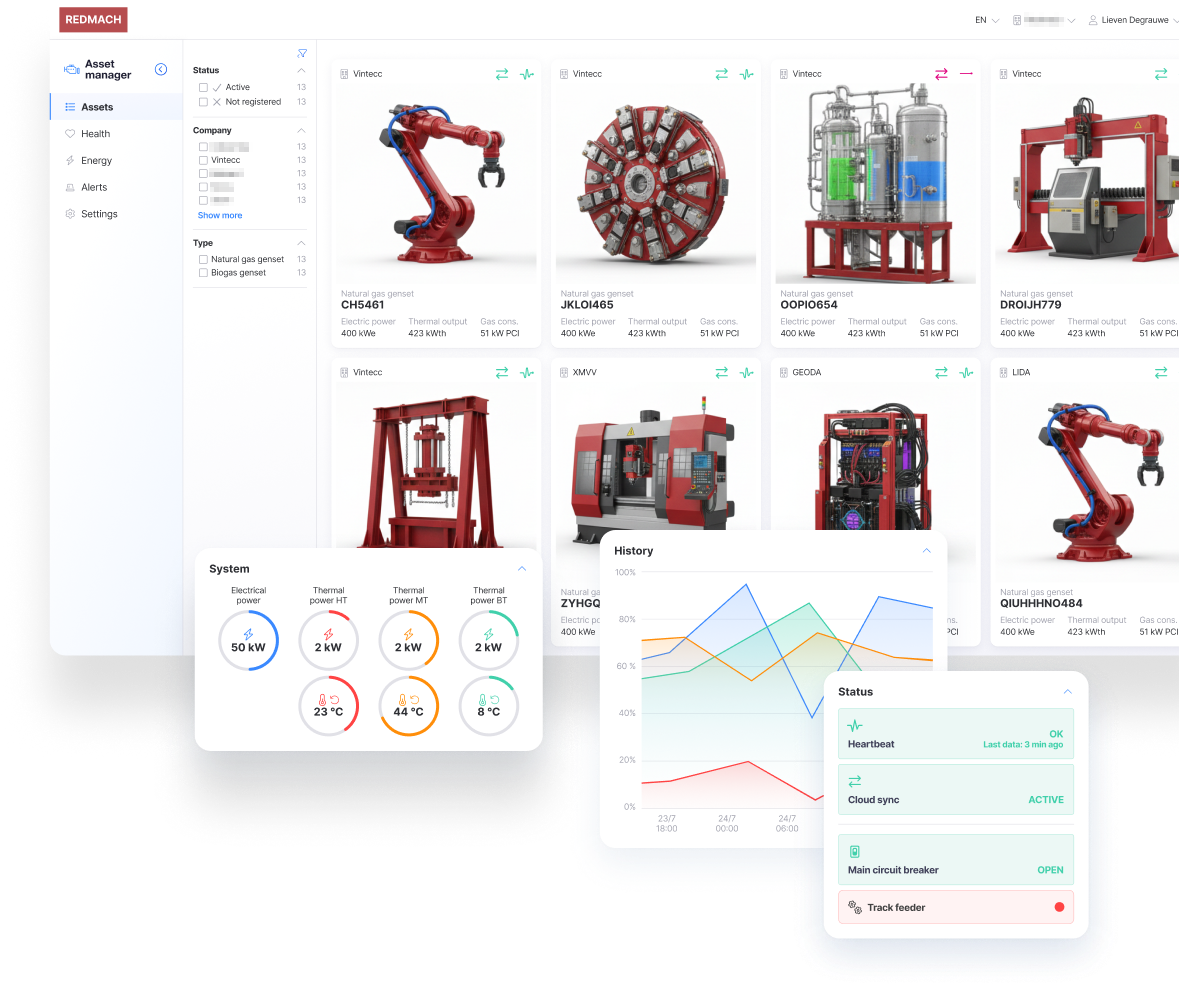
Asset management
The Asset Management app on Capture delivers a structured, real-time view of all assets, enabling clear status monitoring and optimized performance across the fleet.
Contextualization of data → better analytics, reusability, and scalability.

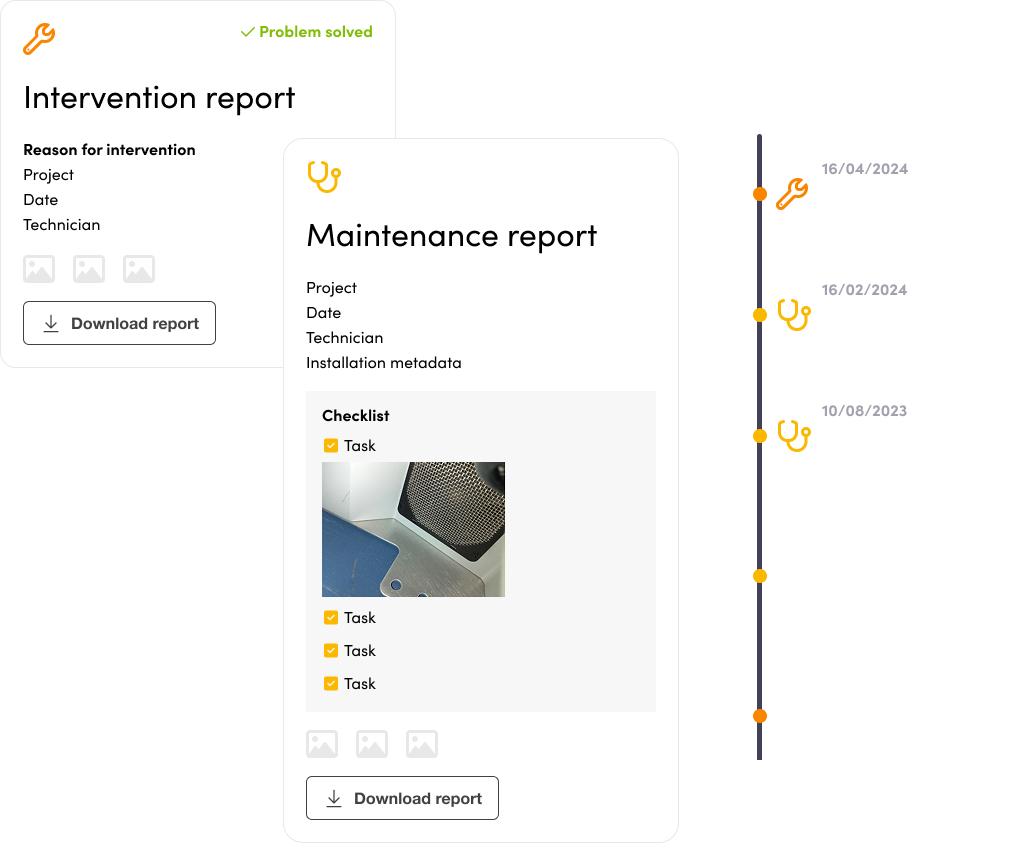
Maintenance App
Introducing an application with a mobile companion that guides technicians through scheduled maintenance or interventions, detailing each required step and automatically generating a report.
Reduced unplanned downtime and increased asset availability. Increases asset availability and shifts maintenance from reactive to predictive.

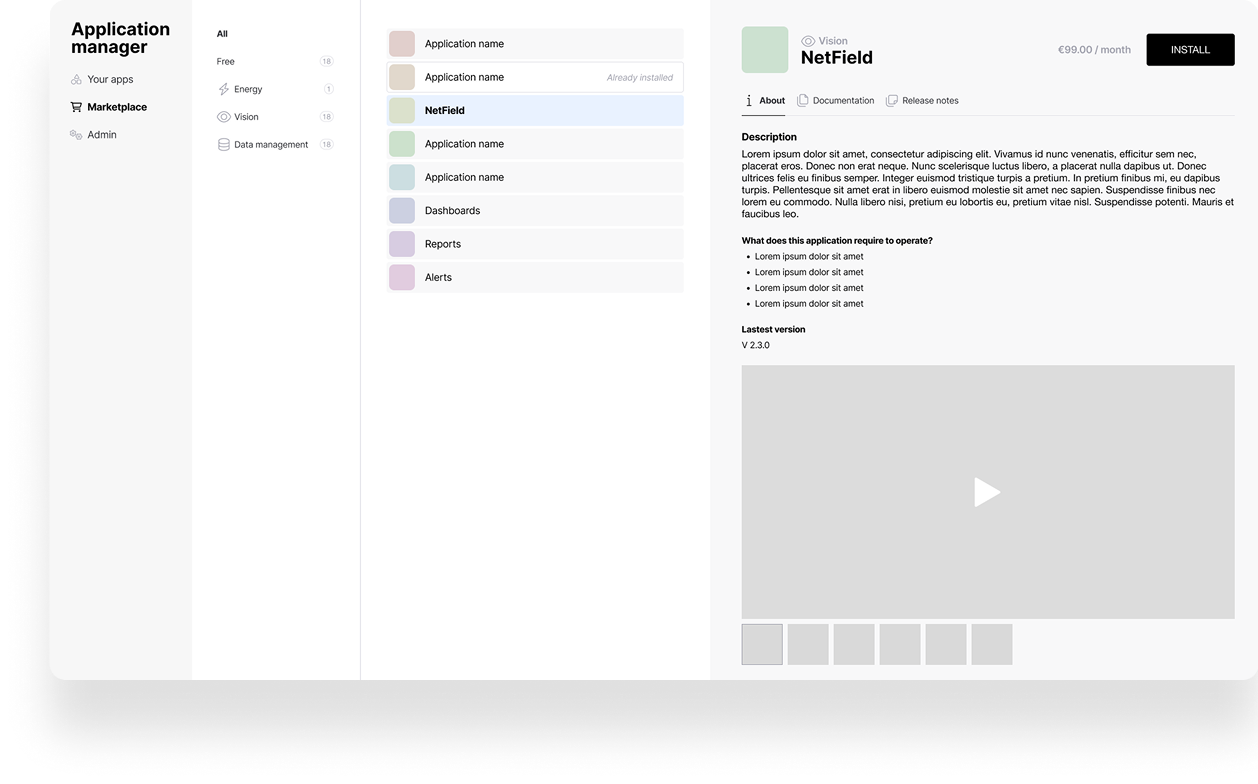
App store
The app store will allow you to manage and install Capture apps.
What's Next?
Get Started with Edge
Ready to connect your first gateway?
- Edge Gateway Overview — Learn about the hardware and capabilities
- Onboarding your first device — Register your first Gateway in the cloud
Explore the Platform
- Cloud Apps — Detailed guides for each application
- Edge Installation — Install Capture Edge software
- Configuration — Set up data collection
- Dashboards — Create visualizations
- Release Notes — Latest features and updates