Context types
A context type is the vocabulary a context episode is written in: which states an episode can be in, which attributes it carries, and which roles its links to nodes usually have. Every episode names its type and the type's version, and its content is checked against that version when it is saved.
Context is marked Experimental: screens and data may still change. It is switched on per environment, so the Context types and Context explorer pages may not be available to your company yet. The Unified Namespace must be enabled for the company.
Reading types needs the View right on the Unified Namespace; registering and deprecating them needs Manage.
The five starting types
Every company starts with five types at version 1. Each matches an object of the ISA-95 standard (and, for batches, ISA-88).
| Type | What one episode stands for | States | Typical role |
|---|---|---|---|
production_order | An order released from the ERP for a product and quantity | planned, released, running, completed, cancelled | scheduled_on |
batch | One execution of a recipe on a unit or cell | planned, running, held, completed, aborted | executed_on |
equipment_event | Something that happened to equipment: a stop, a changeover, idle time | open, closed | occurred_on |
work_calendar_entry | A period on the work calendar: a shift, a break, a planned stop, a holiday | planned, open, closed | applies_to |
maintenance_order | A maintenance or inspection job | planned, open, completed, cancelled | performed_on |
Every type requires a state, accepts a label of up to 200 characters, and has the attributes below. Required attributes are in bold.
production_order
| Attribute | Type | Rules |
|---|---|---|
productCode | text | at most 64 characters |
productName | text | at most 200 characters |
plannedQty | number | 0 or more |
actualQty | number | 0 or more |
uom | text | unit of measure, at most 16 characters |
plannedStart | date and time | when the order was planned to start |
plannedEnd | date and time | when the order was planned to end |
priority | whole number | 1 to 5 |
erpReference | text | the order number in the ERP, at most 64 characters |
batch
| Attribute | Type | Rules |
|---|---|---|
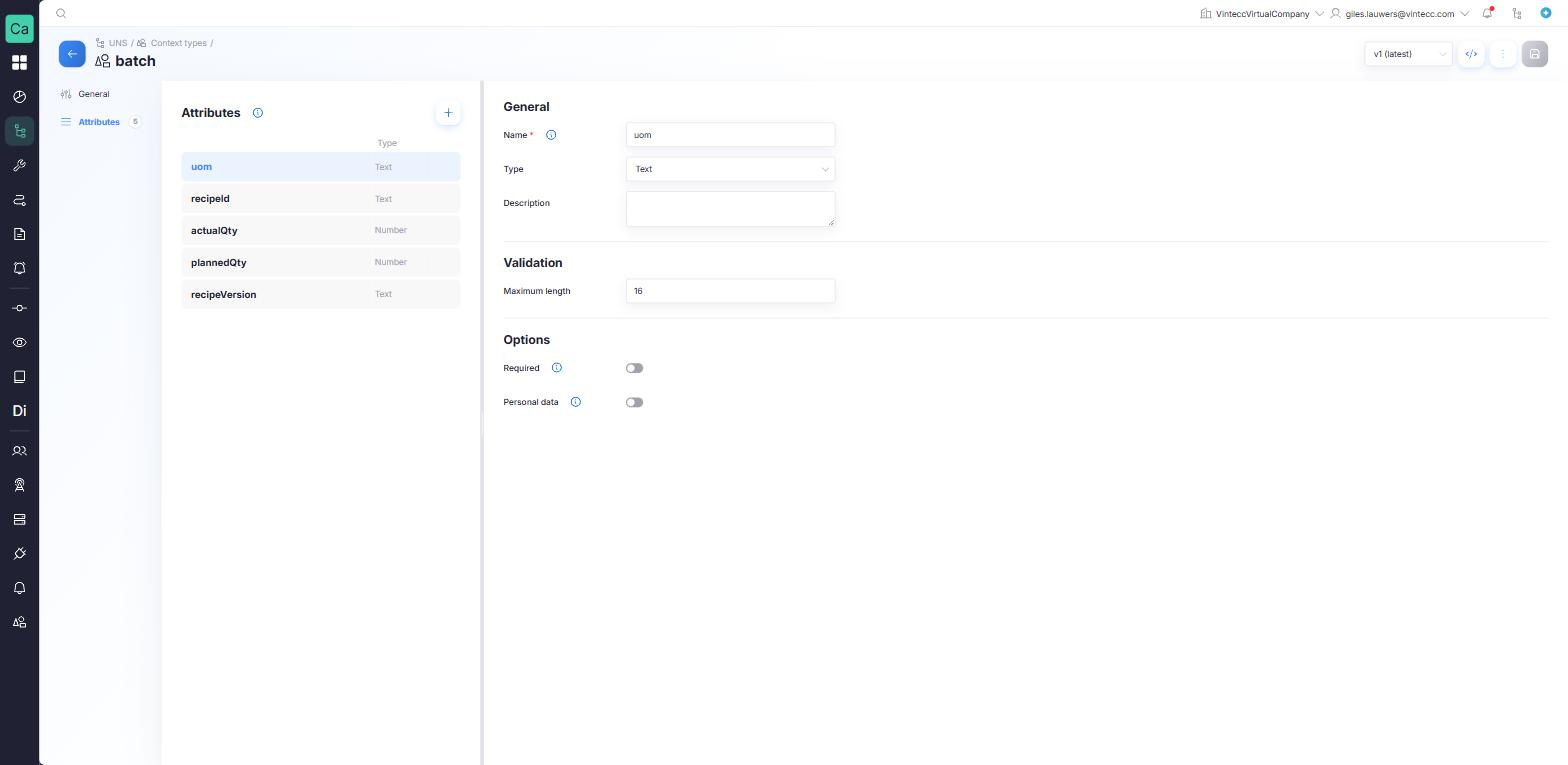
recipeId | text | at most 64 characters |
recipeVersion | text | at most 32 characters |
plannedQty | number | 0 or more |
actualQty | number | 0 or more |
uom | text | at most 16 characters |
equipment_event
| Attribute | Type | Rules |
|---|---|---|
category | choice | unplanned_stop, planned_stop, setup or idle |
reason | text | at most 200 characters |
comment | text | at most 2000 characters |
work_calendar_entry
| Attribute | Type | Rules |
|---|---|---|
kind | choice | shift, break, planned_stop or holiday |
name | text | at most 64 characters, such as Early |
team | text | at most 64 characters |
maintenance_order
| Attribute | Type | Rules |
|---|---|---|
kind | choice | preventive, corrective or inspection |
priority | whole number | 1 to 5 |
description | text | at most 2000 characters |
plannedStart | date and time | when the work was planned to start |
plannedEnd | date and time | when the work was planned to end |
The time window of an episode's link is when it actually happened. When it was planned goes in the plannedStart and plannedEnd attributes of a production order or maintenance order.
Your own fields: x_ objects
Attributes are a closed set: an episode may only carry the attributes its type declares. To keep a source's own fields with the episode, put them in an object whose name starts with x_ followed by lower-case letters or digits, such as x_sap:
{
  "productCode": "AC-DF30-10",
  "x_sap": { "aufnr": "000001000234", "werks": "BE01" }
}
| You enter | Result |
|---|---|
"x_sap": { … } | Accepted |
"x_sap": "BE01" | Refused: an x_ field must be an object |
"werks": "BE01" next to the type's own attributes | Refused: not a field of the type |
"x_SAP": { … } or "x-sap": { … } | Refused: only lower-case letters and digits after x_ |
Who owns a type
Types are tenant-owned. All companies under the same top-level company see the same set of types, and every type belongs to one company:
- Only the company that registered a type can change or deprecate it. Other companies under the same top-level company can write episodes with it, but not register new versions of it.
- The five starting types belong to the top-level company. That company can change them like any type of its own, by registering a new version; the platform never updates them again. Sub-companies can use them, but not change or deprecate them.
In a sub-company, the screen may offer to edit a type that another company registered. Saving is then refused by the platform: only the registering company can change it.
Browse the types
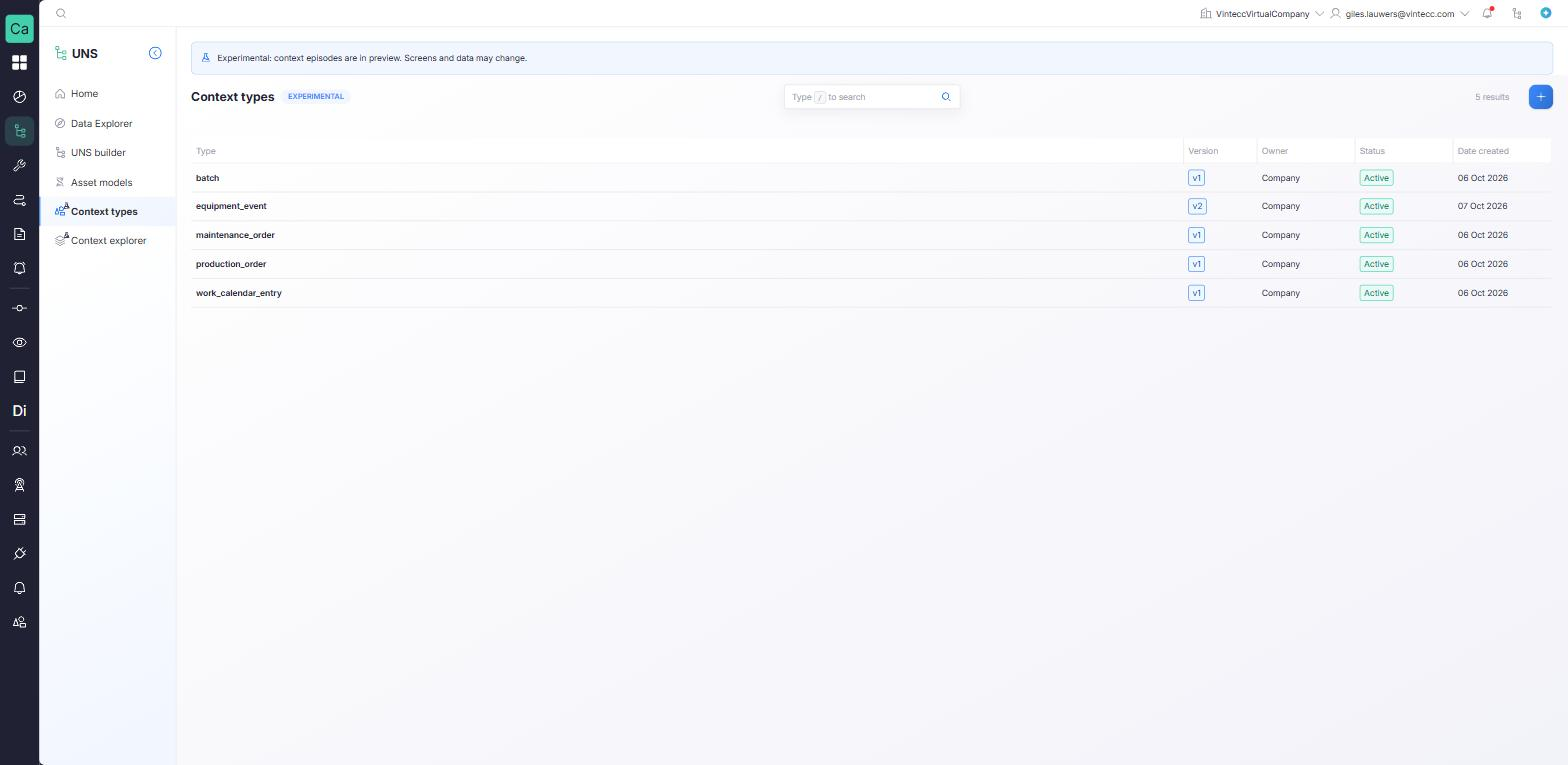
Go to UNS → Context types. The list has one row per type version, with the columns Type, Version, Owner (Company or Platform), Status (Active or Deprecated) and Date created. Open a row to see that version's General and Attributes tabs. Use the Version selector to look at another version; older versions are read-only.
Register a new type
You need the Manage right on the Unified Namespace.
- In Context types, click + to open Register context type.
- Under Start from, choose Blank, or Copy of one of the existing types to adjust it.
- Fill in General:
- Type name: the name integrations use. 2 to 40 lower-case letters, digits or underscores, starting with a letter, such as
quality_hold. It must not exist yet, and it cannot be changed after registering. - Display name and Description: what people call it, and what one episode of it stands for.
- States: the stages an episode can be in. Add at least one, each up to 40 characters. Include a closing state such as
closedorcancelled, so an episode can be closed without being retracted. - Roles: optional, informational. What a link to a node usually means, such as
executed_on.
- Type name: the name integrations use. 2 to 40 lower-case letters, digits or underscores, starting with a letter, such as
- On Attributes, click Add attribute for each field an episode carries, and set:
- Name: letters, digits and underscores, starting with a letter. Names starting with
x_are reserved for the sources' own fields. - Type: Text, Number, Whole number, Yes/no, Date and time or Choice list.
- Required, Description, Unit, and the validation that fits the type: Maximum length, Minimum and Maximum, or Allowed values.
- Name: letters, digits and underscores, starting with a letter. Names starting with
- Save. The type is registered as version 1.
The form builds the type's definition as a JSON Schema. Advanced users can view and edit that definition as JSON under View code instead; it must follow the same rules (a state list, a closed attributes object, and the standard x_ escape hatch).
Do not put personal data in a type: names, licence plates, phone numbers. An attribute can be marked Personal data, and such a type can be registered, but the platform refuses to store episodes of it.
Change a type: new versions
A registered version never changes. When you edit the latest version of a type your company registered and save, the platform registers the next version (the prompt reads Saving registers version N). The old version, and every episode written with it, stays as it is.
If the new version could break an integration, the platform warns you before it registers it: a state or attribute removed, an attribute that becomes required, a changed attribute type, or an allowed value removed. Click Register anyway to continue.
Existing episodes keep the version they were written with. An episode moves to a new version only when it is saved again with that version.
Deprecate a version
Deprecate a version to stop new writes with it, for example once every source has moved to a newer one.
- Open the type and select the version.
- Open the options menu and click Deprecate vN, then confirm Deprecate.
From then on, no episode can be written with that version. Stored episodes, reading them and retracting them are not affected, and the version stays visible as Deprecated. Only the company that registered the type can deprecate its versions.