Asset model instances
An instance is a copy of an asset model in the namespace: a subtree of assets and variables whose structure comes from one version of the model. This page covers creating instances, mapping their sources, upgrading them to a newer version and detaching them.
Add an instance
You need the Manage right on the Unified Namespace.
- In the UNS builder, open the … menu on the asset the instance should go under, and choose Add asset model. The panel shows the parent as Adding under.
- Asset model: select the model. The latest published version is used. Optionally enter an Instance name; without one, the instance gets the model's name, with a number added when that name is already taken.
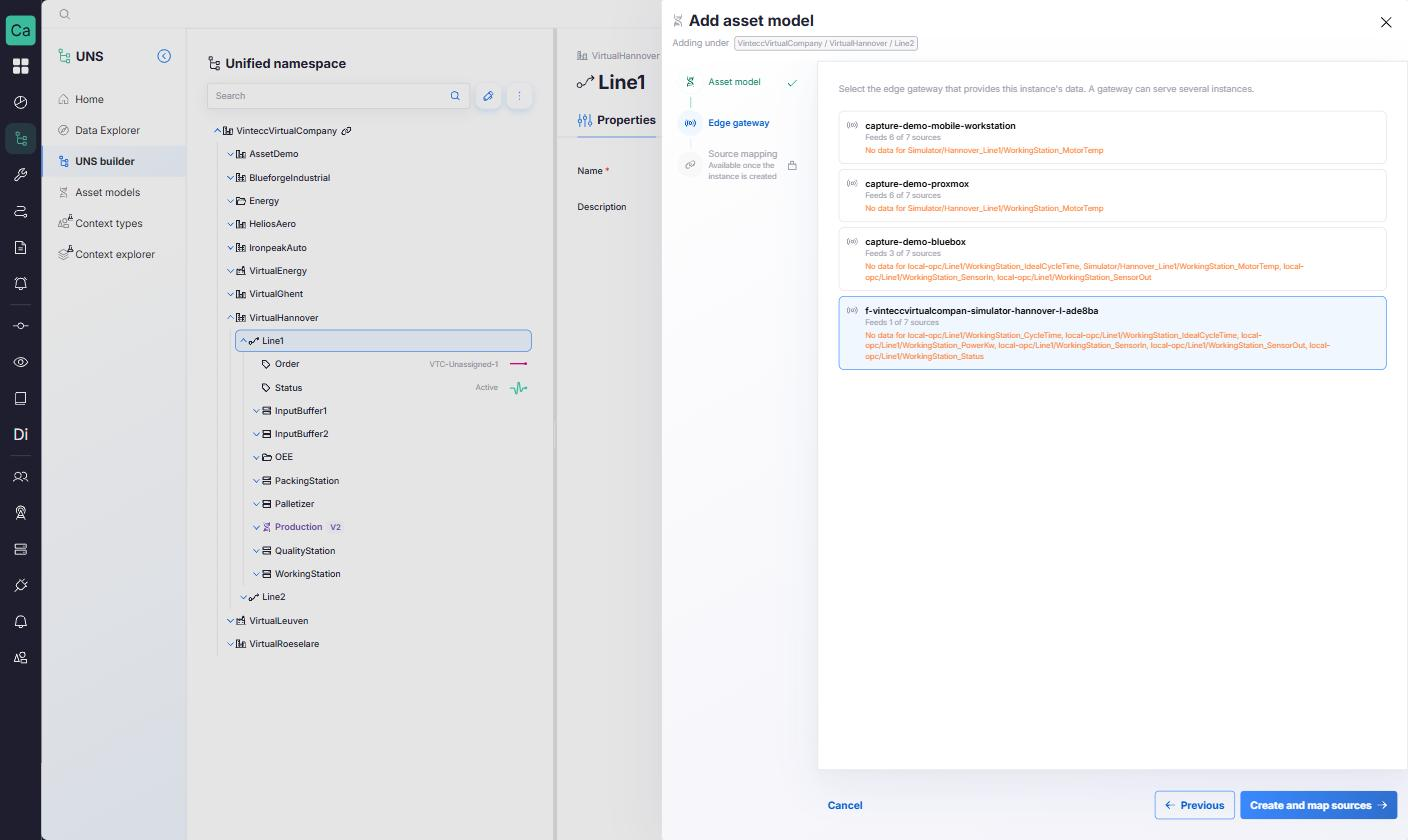
- Edge gateway: when the model's sources need a gateway, select the edge gateway that provides this instance's data. Each gateway shows how well it matches the model, such as Feeds every source or Feeds 3 of 5 sources. A gateway can feed several instances, of the same model or of different ones; a gateway that already does is marked Also feeds another asset model instance and can still be selected. This step is optional.
- Click Create and map sources. The instance is created straight away, with the message <name> created, <n> nodes written.
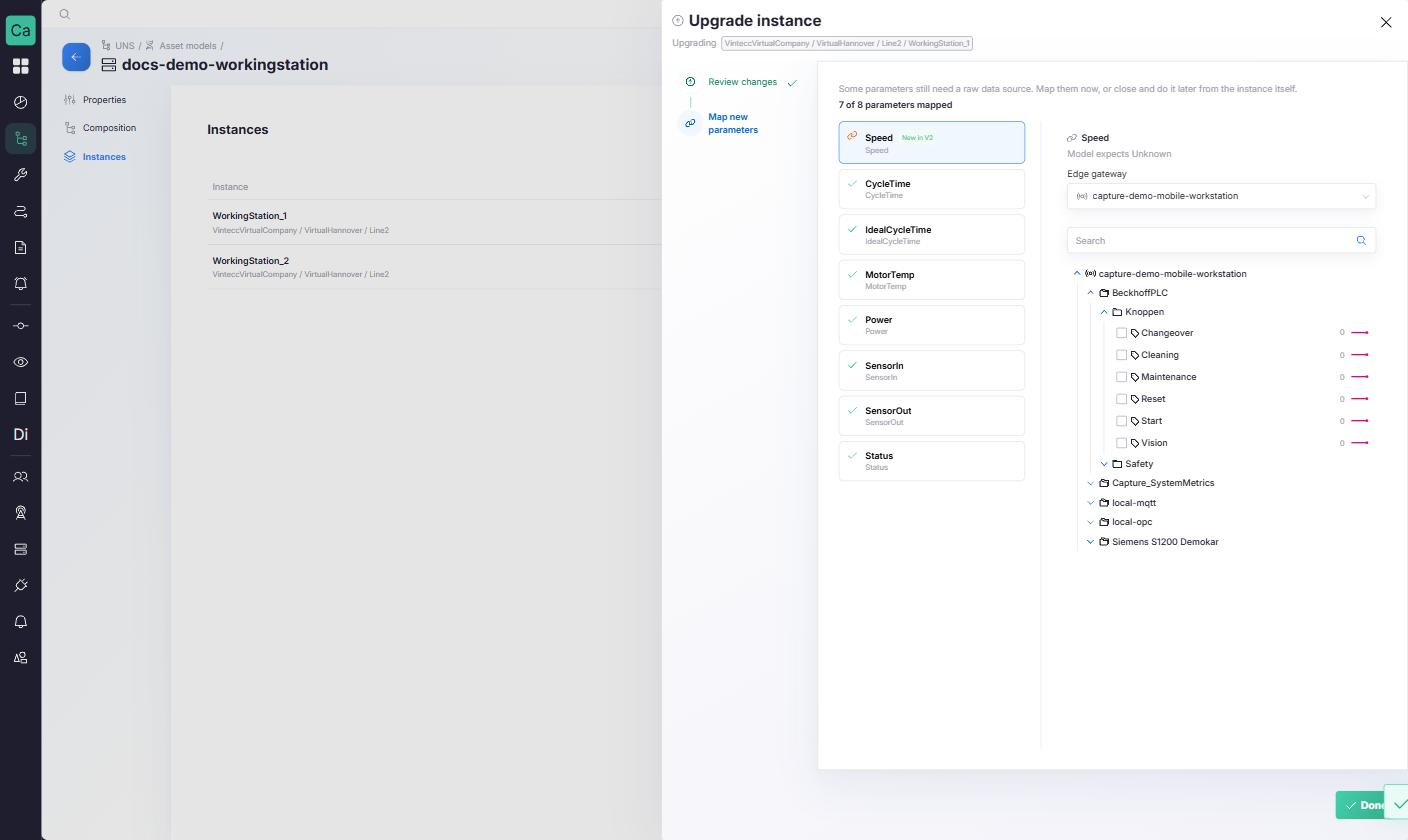
- Source mapping: map the parameters that still need a raw data source, now or later from the instance itself. The panel shows the progress, such as 3 of 11 parameters mapped. Click Done when you are finished.
The model's root type must be allowed under the parent you chose, following the equipment hierarchy. You cannot add a model inside another instance.
- A parameter whose source could not be resolved arrives without a source. It works as a placeholder until you map it; see Variables and sources.
- When a model links resources that your company cannot see, those links are skipped, and the result message says how many.
- A calculation that the model defines for an unmapped parameter is applied as soon as you map that parameter.
Recognise an instance in the tree
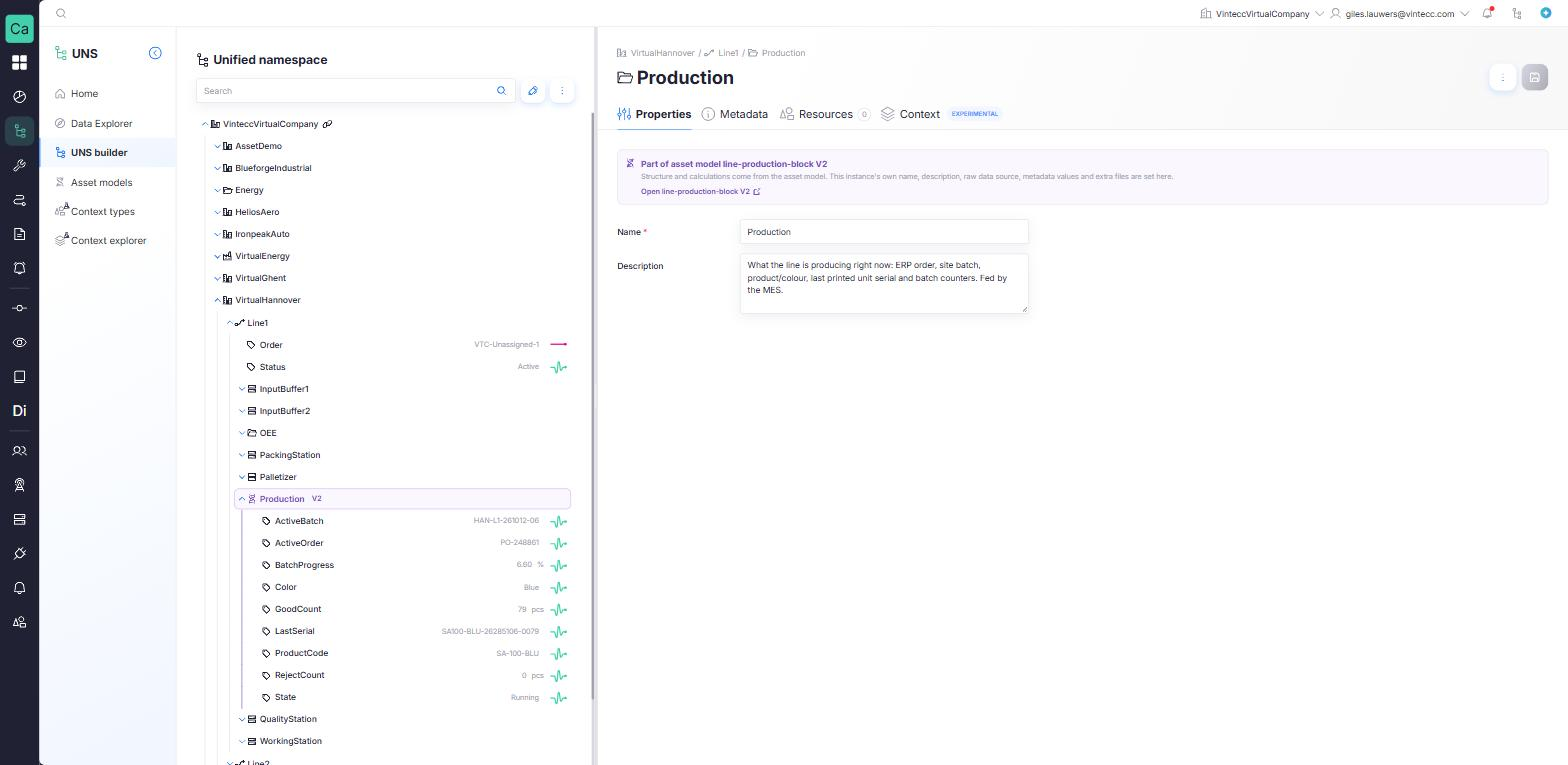
- The root of an instance carries a version badge, such as V2: purple when it is on the model's latest version, orange when the model has a newer one.
- Every node in an instance shows the notice Part of asset model <model> in its detail panel, with a link Open <model> to the model.
What you can change on an instance
The structure and calculations come from the model. Some fields are set per instance:
| Editable on the instance | Comes from the model (locked) | |
|---|---|---|
| Instance root | Name, description | |
| Assets inside the instance | Name, description | |
| Parameters | Raw data source | Name, description, unit, deadband, persisted tags, MQTT export, calculation |
| Metadata | Values | Keys the model defines |
| Resources | Extra files you link yourself | Resources from the model, marked From model; they cannot be unlinked or re-pinned here |
Inside an instance, you cannot add assets, parameters or other models, and only the instance root can be deleted. Deleting the root deletes the whole instance. A bulk delete skips the items that belong to an instance.
Mapping a parameter's source on an instance never changes the model.
Upgrade an instance
When a model has a newer version, its outdated instances can be upgraded. Upgrade one instance at a time:
- from the model's Instances tab, with Upgrade on an outdated row, or
- from the tree, with Upgrade instance in the … menu of an outdated instance root.
Then:
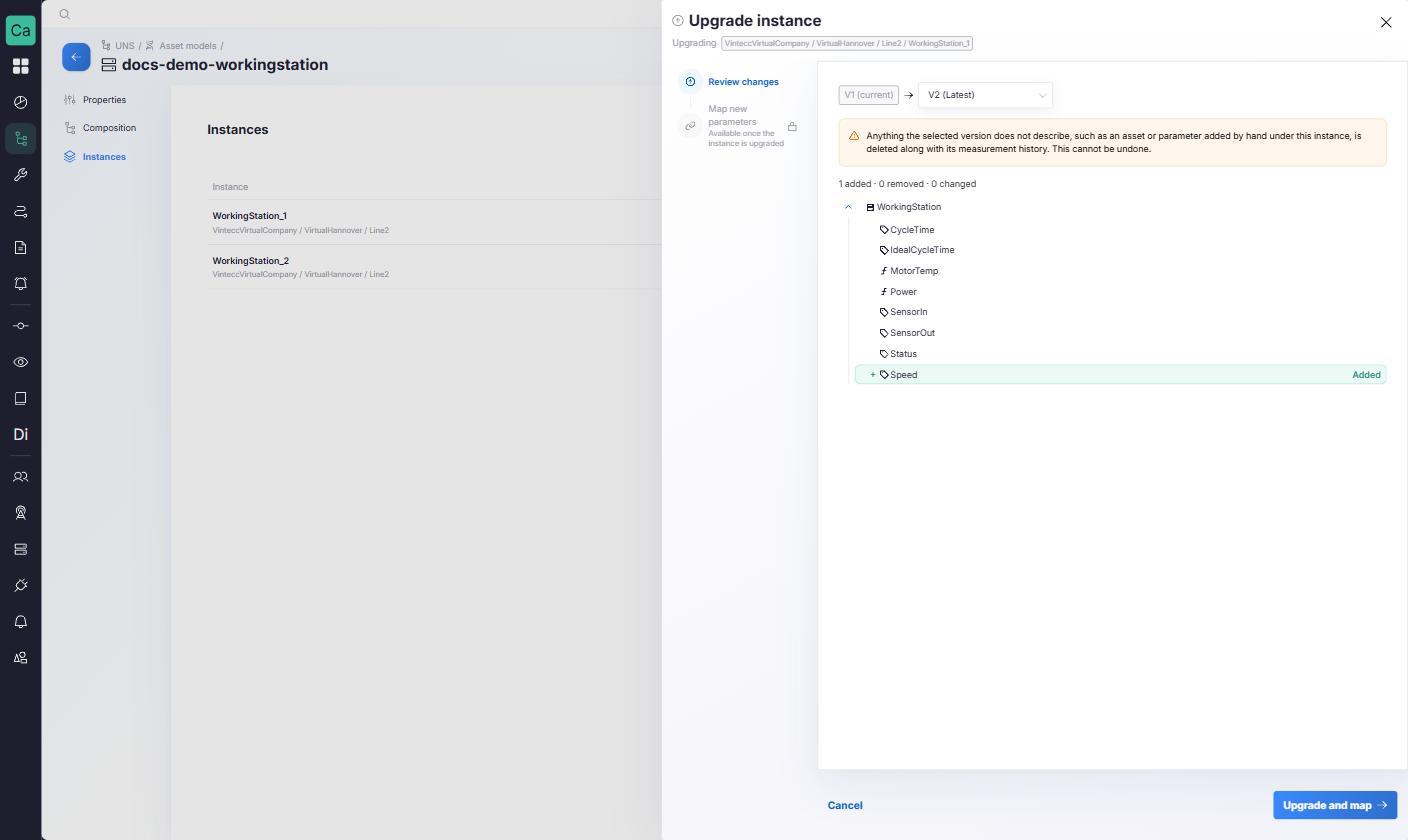
- Review changes: pick the Target version. The panel shows what changes between the instance's version and the target.
- Click Upgrade, or Upgrade and map when the new version adds parameters that need a source.
- Map new parameters: parameters that are new in the target version are marked New in Vn. Map their sources; a calculation that comes with them is applied once its parameter is mapped.
- Click Done. The result message counts the nodes created, updated and removed.
- A parameter that the target version no longer has is removed together with its measurement history.
- Anything under the instance that the target version does not describe, such as an asset or parameter added by hand, is deleted along with its measurement history.
This cannot be undone. Check the review step before you upgrade.
The raw data sources you mapped on the instance are kept: an upgrade does not ask you to map existing parameters again.
Detach an instance
Detaching turns an instance back into an ordinary part of the tree.
- Select the instance root in the UNS builder.
- In the … menu, choose Detach from asset model, and confirm.
Nothing is deleted: the instance keeps its assets, parameters, sources and data, and its fields become editable again. It no longer follows the model and cannot be upgraded. Detaching cannot be undone; to link the structure to the model again, instantiate the model again.
A model can only be deleted once it has no instances left, so detach the remaining instances first.