Storage Hub
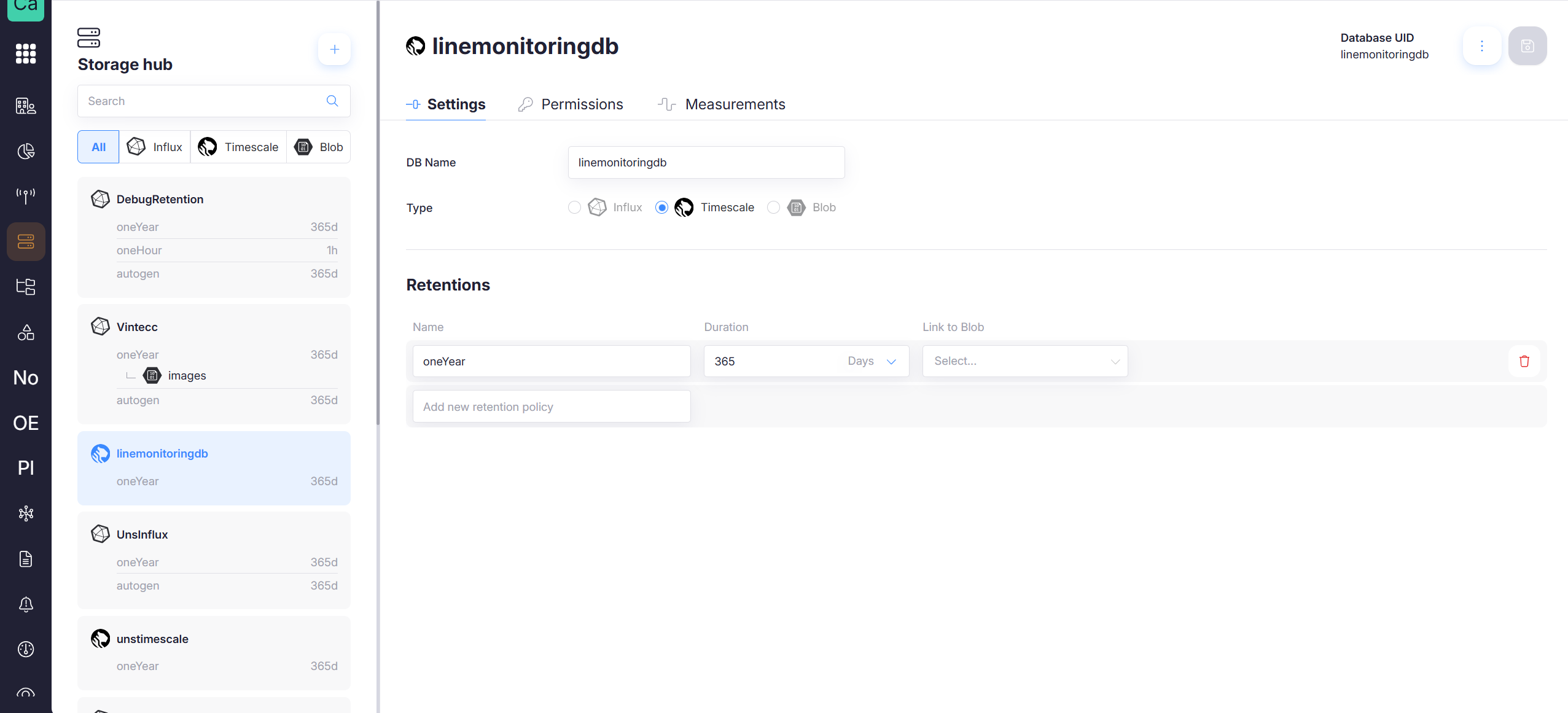
The Storage Hub is the central place to manage all cloud storage used by the platform. It provides a unified view over storage backends and lets you:
- Create and manage storage databases
- Configure retention policies
- Control access via permissions
- Inspect measurements (time-series)
- Clear data safely using a guided wizard
- Delete storage databases
Storage types supported:
- Influx (time-series database)
- Timescale (time-series on PostgreSQL)
- Blob (object storage for larger payloads / archives)
Navigation & layout
Storage Hub is split into two areas:
- Left panel: list of databases, search, and type filters (All / Influx / Timescale / Blob)
- Main panel: details of the selected database with tabs:
- Settings
- Permissions
- Measurements
Create new storage (Add Capture Storage)
To create a new storage database, click the + button in the Storage Hub header (top-right of the list panel). This opens the Add Capture Storage wizard.
The wizard guides you through:
- General: name, description, and storage type
- Retention(s): retention policy setup (and optional link to Blob)
- Permissions: choose who can access the storage
- Summary: review and create
See Databases & Retention Policies for the full step-by-step flow.
Data lifecycle at a glance
Storage Hub makes the data lifecycle explicit:
- Data is written into a database (Influx/Timescale)
- Retention policies define how long data is kept
- Optionally, retention can link to Blob storage
- You can clear subsets of data in a controlled way (wizard)
See Measurements & Clear Data for the guided deletion flow.