Databases & Retention Policies
Storage Hub maintains a list of storage databases. Each database is one of:
- Influx (time-series)
- Timescale (time-series)
- Blob (object storage)
Database list & filtering
Use the filters at the top of the database list to quickly focus on a storage type:
- All
- Influx
- Timescale
- Blob
Use the search box to find a database by name.
Create a database (Add Capture Storage)
Click the + button to open the Add Capture Storage wizard.
The wizard ensures you define the required configuration before the database is created.
Step 1 — General
In General, configure:
- DB name: the storage name shown in the Storage Hub list
- Description: optional context for admins and users
- Type:
- Influx
- Timescale
- Blob
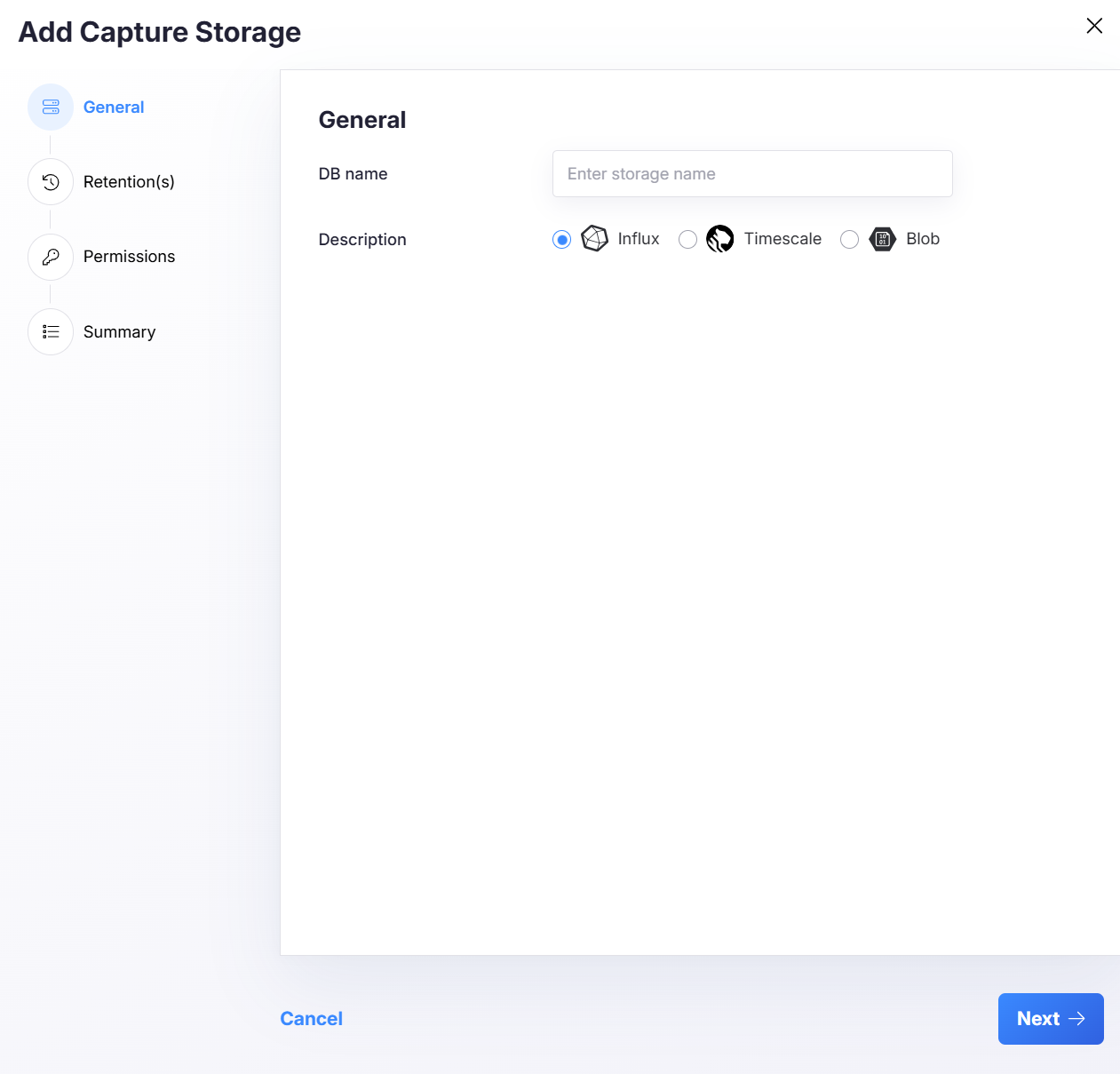
Click Next to continue.
Step 2 — Retention(s)
Retention policies define how long data is retained before it expires or is cleaned up.
Each retention policy includes:
- Name (example:
oneYear) - Duration (example:
365 days) - Optional: Link to Blob (where applicable)
- Optional: Link to Predictions DB — see Predictions database
You can:
- Add new retention policies
- Adjust duration
- Remove a policy using the delete icon
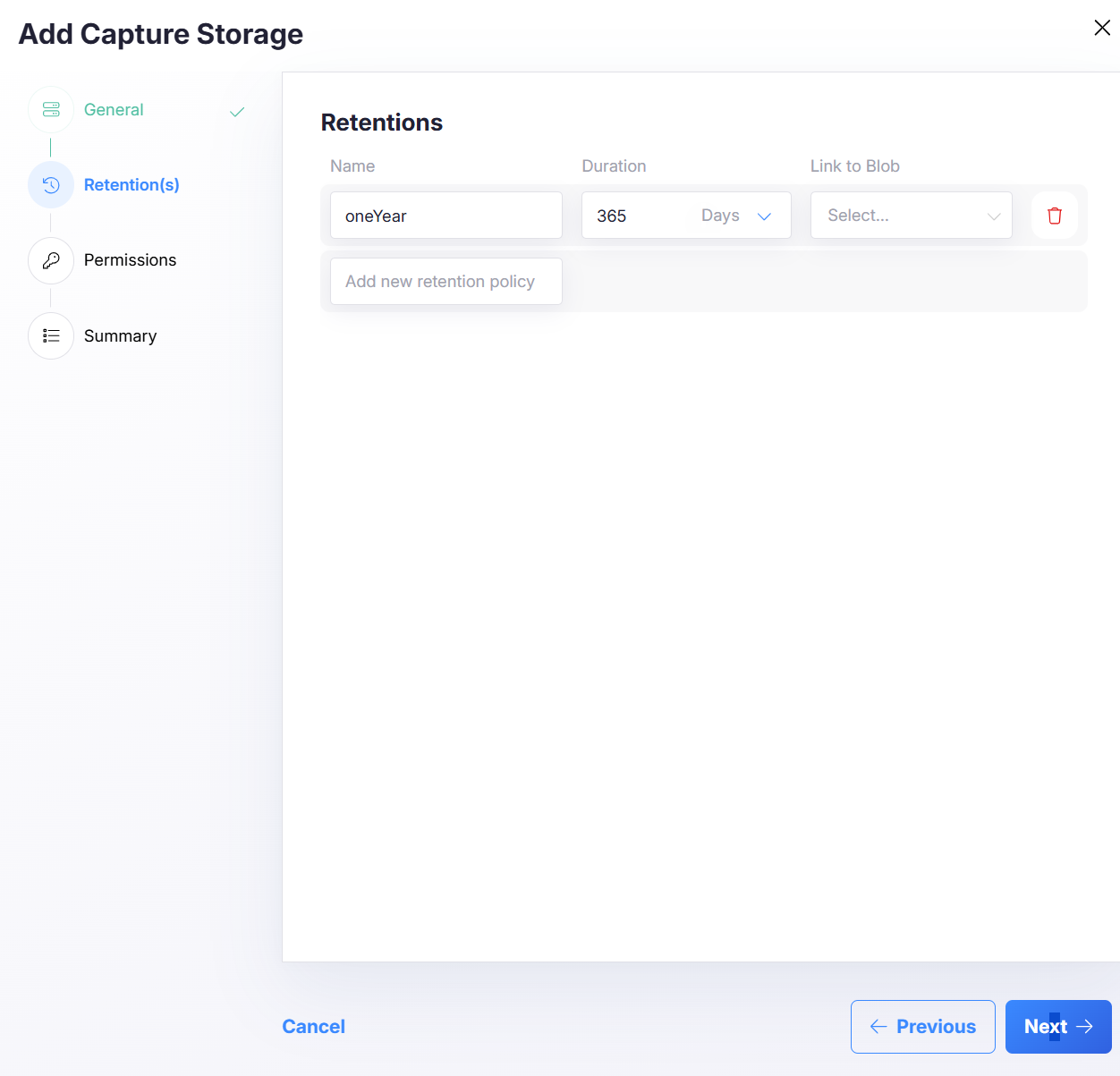
Click Next to continue.
Note Retention behavior can vary per backend and configuration. Keep retentions aligned with compliance and performance requirements.
Step 3 — Permissions
In Permissions, select which entities (e.g., company/workspace/project—depending on your platform model) can access this storage.
The UI supports multi-select using checkboxes in a tree/list structure.
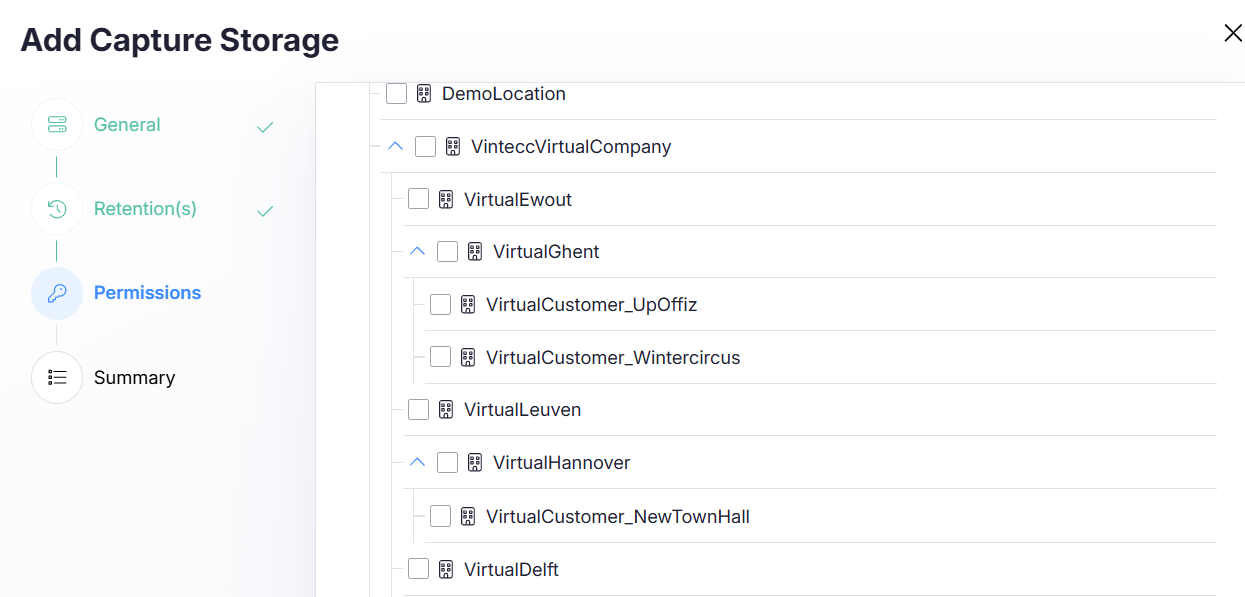
Click Next to continue.
Step 4 — Summary (Review & Create)
The Summary step shows exactly what will be created:
- Storage name
- Storage type
- Configured retentions
- Selected permissions
Use the edit icons to jump back and adjust if needed.
Click Create capture storage to finalize.
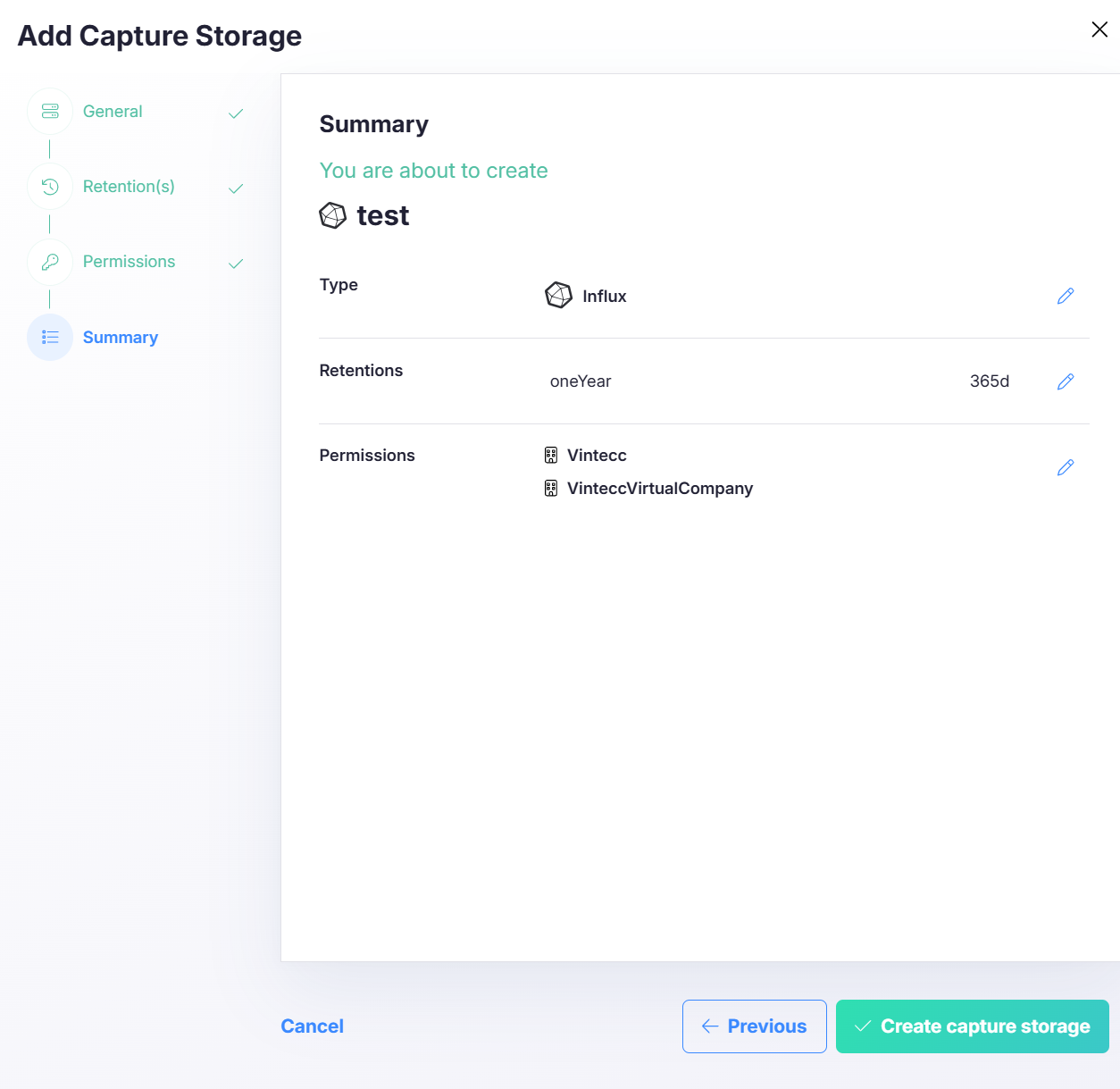
Open a database
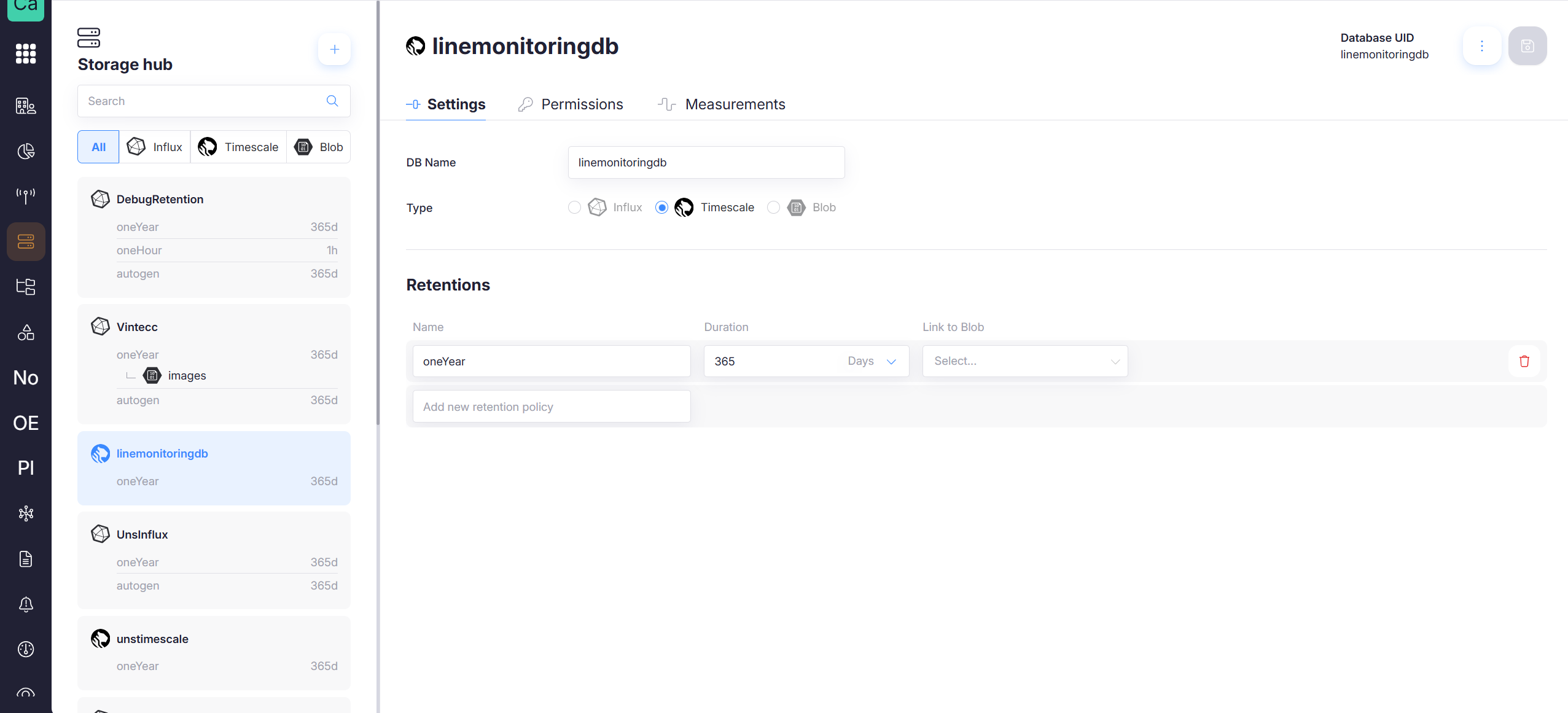
Click a database in the left panel to open its details. In the top-right you’ll see the Database UID, which uniquely identifies the database.
Settings tab
The Settings tab shows:
- DB Name
- Type (Influx / Timescale / Blob)
- Retention policies (if supported by that type)
Retention policies
Retention policies define how long data is retained before it expires or is cleaned up.
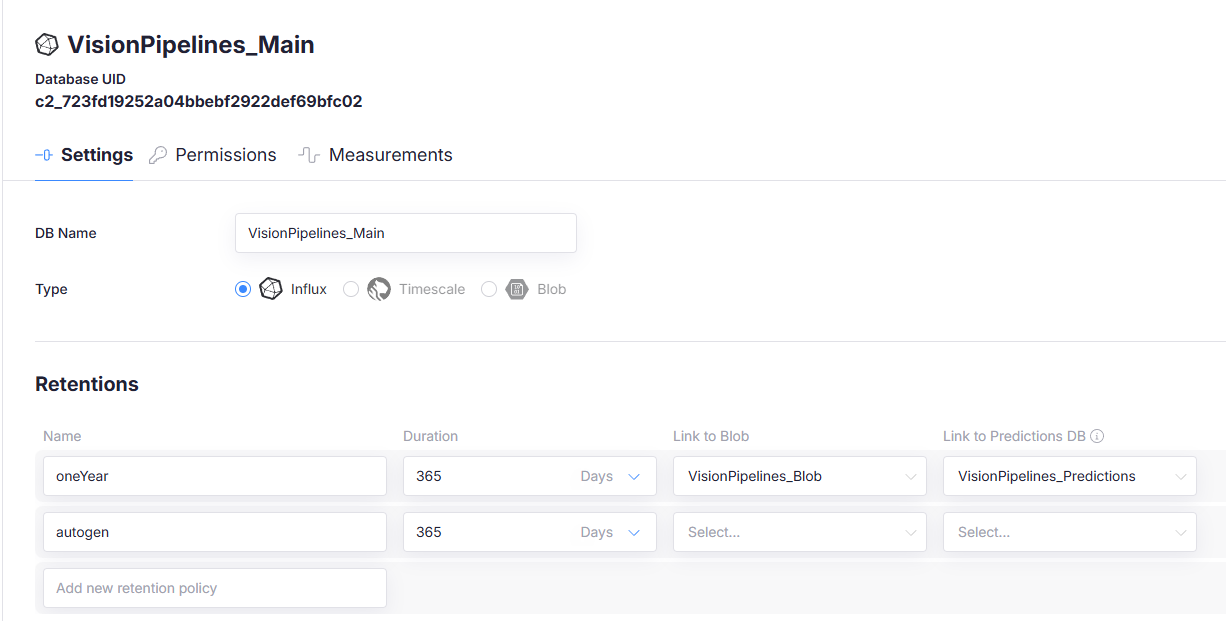
Each retention policy typically includes:
- Name — e.g.,
oneYear,autogen - Duration — e.g.,
365 days - Link to Blob — optional; links the policy to a blob store.
- Link to Predictions DB — optional; links the policy to a predictions database.
Both links are set per retention policy, not per database. Use them to attach a blob database (for larger payloads such as images) and a predictions database (for vision model output) to the retention the data is written to.
Learn more on the blob store page and the Predictions database page.
Deleting a database
To delete a database:
- Open the database
- Click the three dots (⋯) in the top-right corner
- Choose Delete
- Confirm the deletion
Deleting a database is destructive and can remove data permanently. Ensure you have the correct database selected (check the Database UID) before deleting.