Measurements & Clear Data
The Measurements tab lets you inspect available measurements (time-series collections) and clear data using a guided flow that reduces mistakes.
Example measurement list:
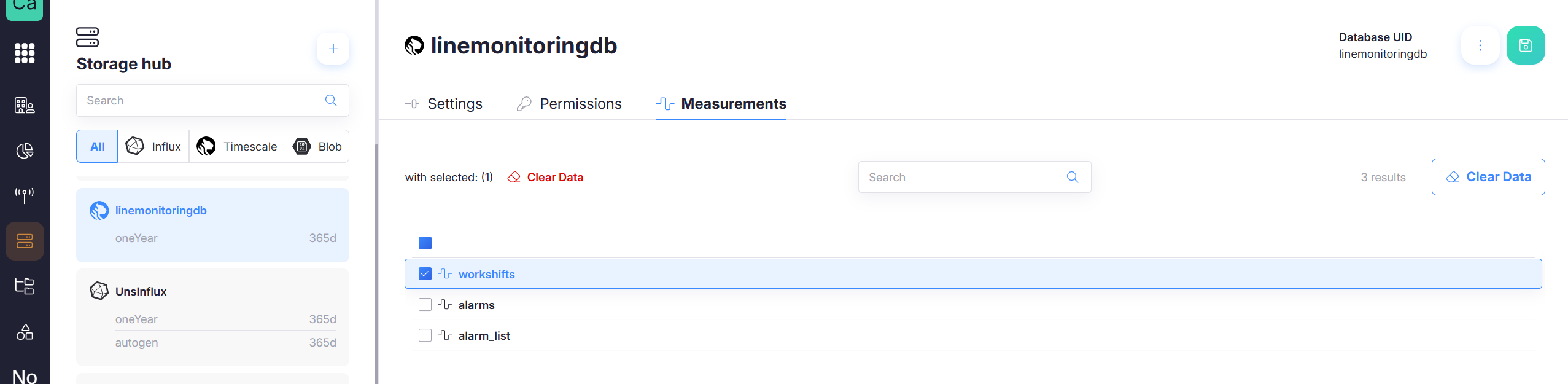
Measurements list
On this page you can:
- Search measurements
- Select one or more measurements
- Trigger Clear Data
Clearing data (guided flow)
Click Clear Data to open the wizard. The wizard is designed to make clearing data explicit and traceable.
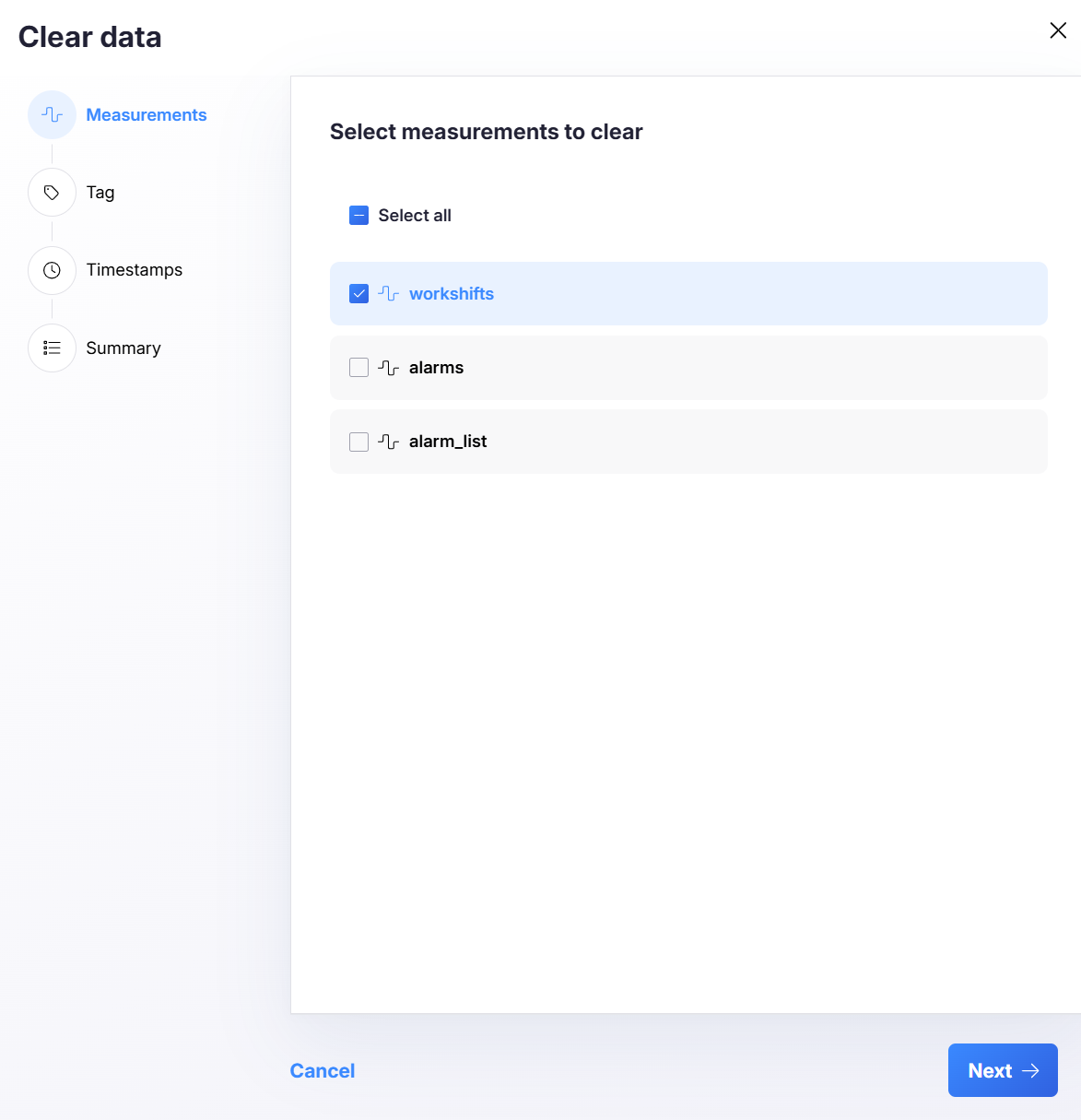
Step 1 — Select measurements
Choose the measurement(s) you want to clear.
- Use Select all if needed
- You can clear a single measurement or multiple
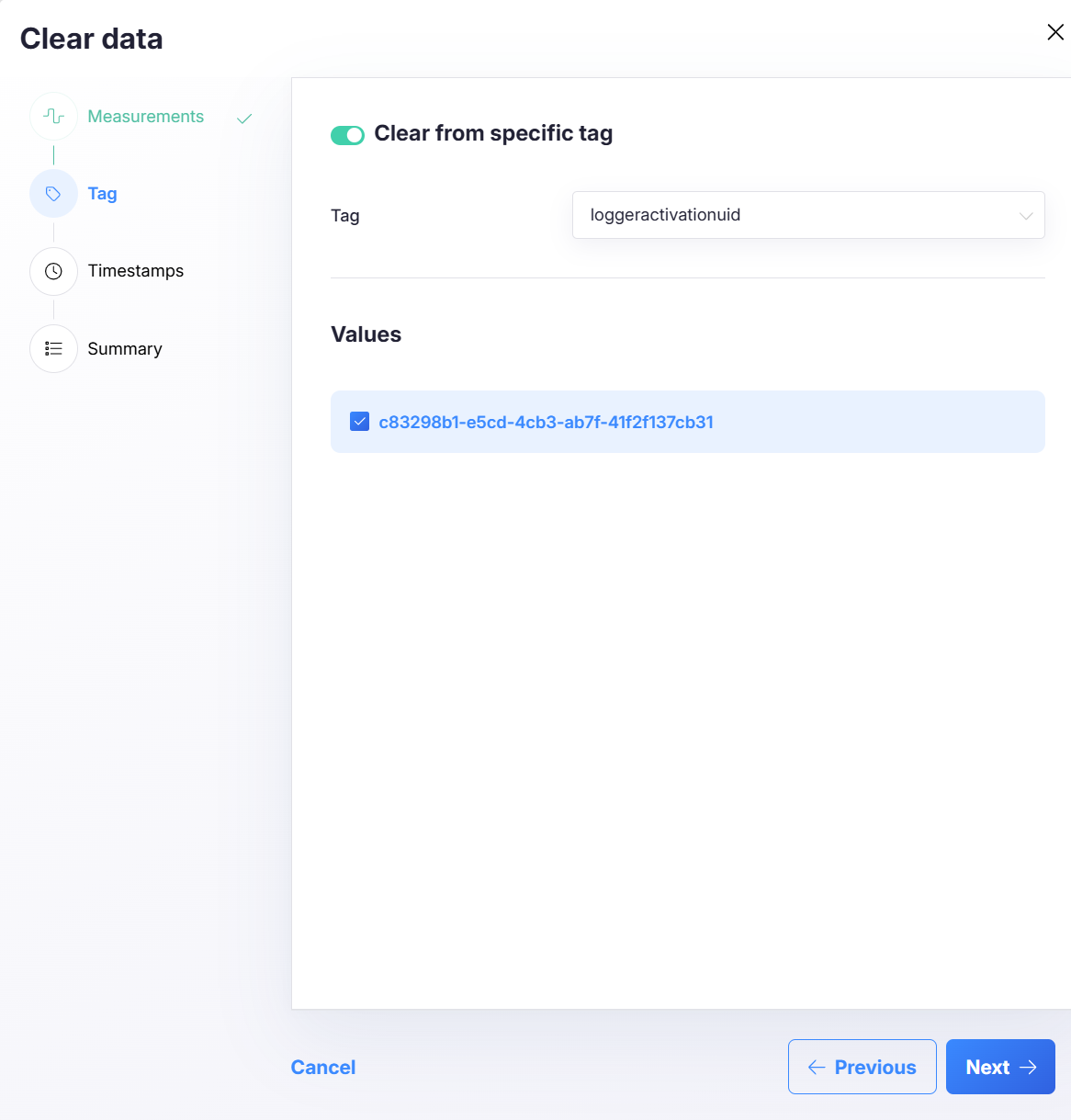
Step 2 — Optional: Filter by tag
Enable Clear from specific tag to narrow the deletion to a tag/value subset.
- Pick a Tag key (e.g.,
loggeractivationuid) - Select one or more Values
If you keep this disabled, the operation applies to the selected measurement(s) without tag filtering.
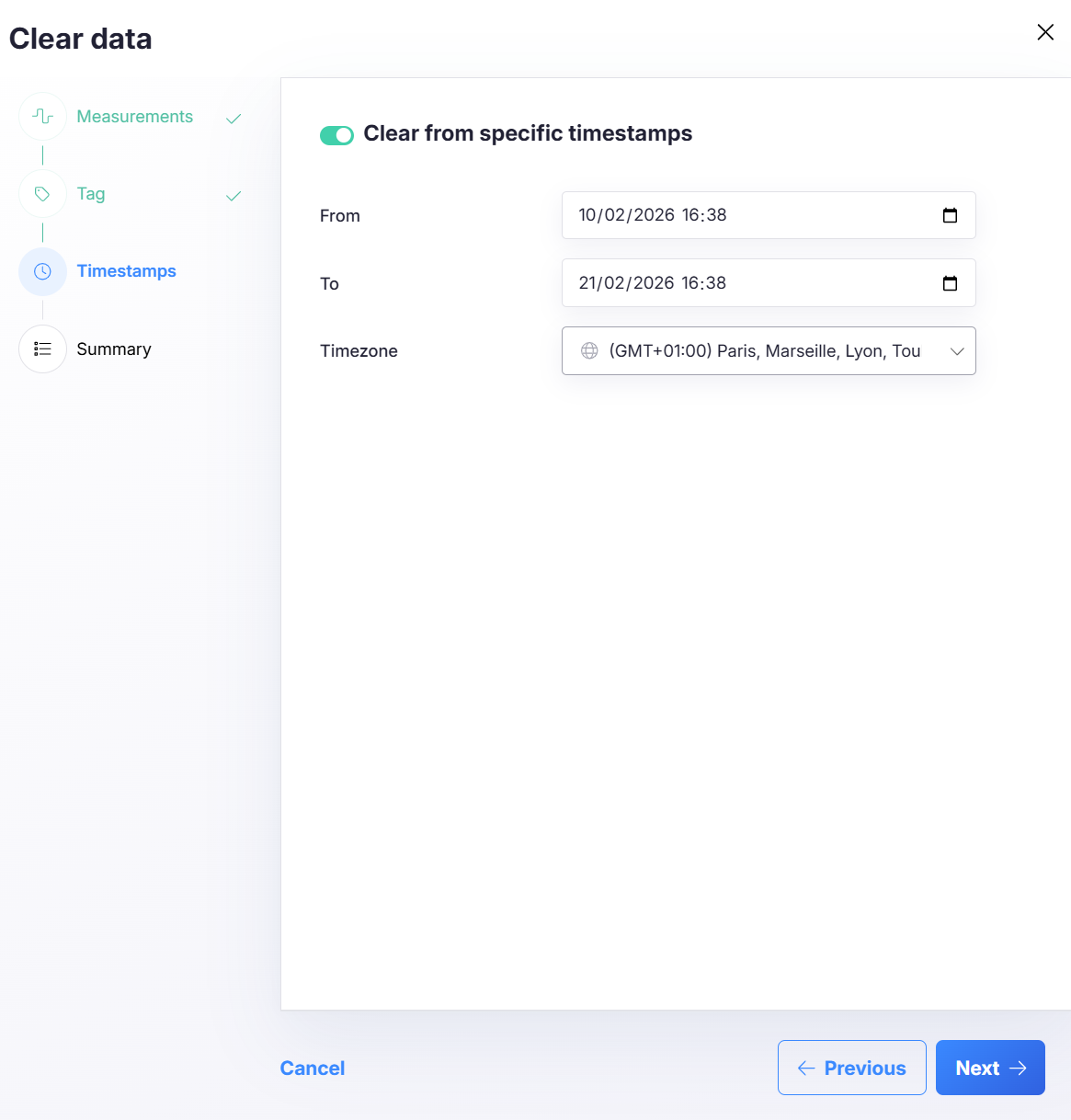
Step 3 — Optional: Filter by timestamps
Enable Clear from specific timestamps to restrict the clear operation to a time range.
- Choose From and To
- Select the correct Timezone
If you keep this disabled, the operation applies to all time for the selected measurement(s) (and optional tag filter).
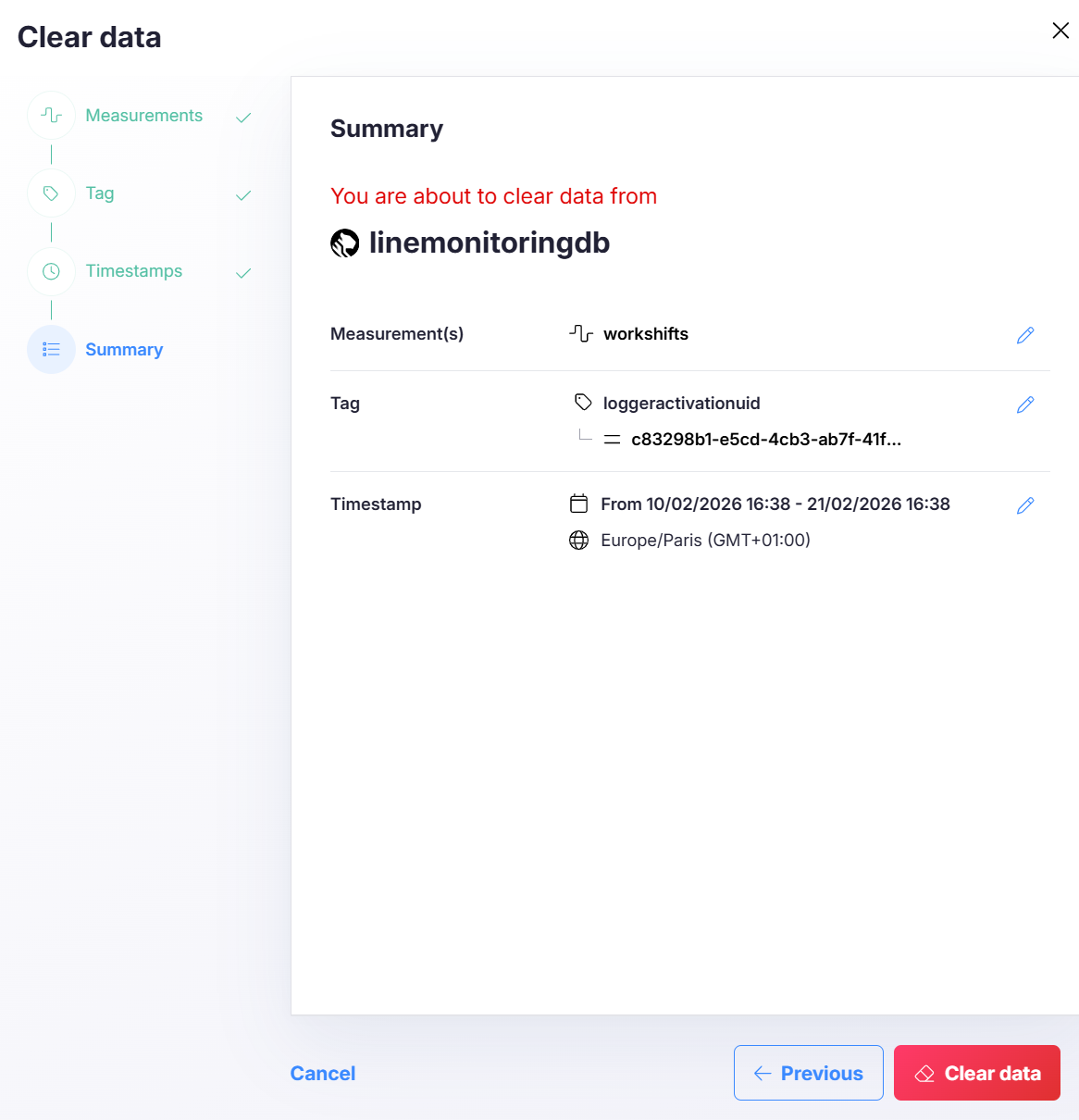
Step 4 — Summary & execute
The summary shows exactly what will be cleared:
- Database name (and implicitly its UID)
- Measurement(s)
- Optional tag key + values
- Optional time range + timezone
Use the edit icons to jump back and adjust selections if needed.
Click Clear data to execute.
Clearing data is destructive. Always verify the summary before confirming.
Best practices
- Prefer clearing by measurement + time range to avoid accidental wide deletes.
- Use tag filtering for targeted cleanup (e.g., a single device or activation id).
- Confirm the Database UID when operating in multiple environments.
- Align retention policies with compliance requirements so manual clearing is the exception, not the default.