Overview
Reporting Overview
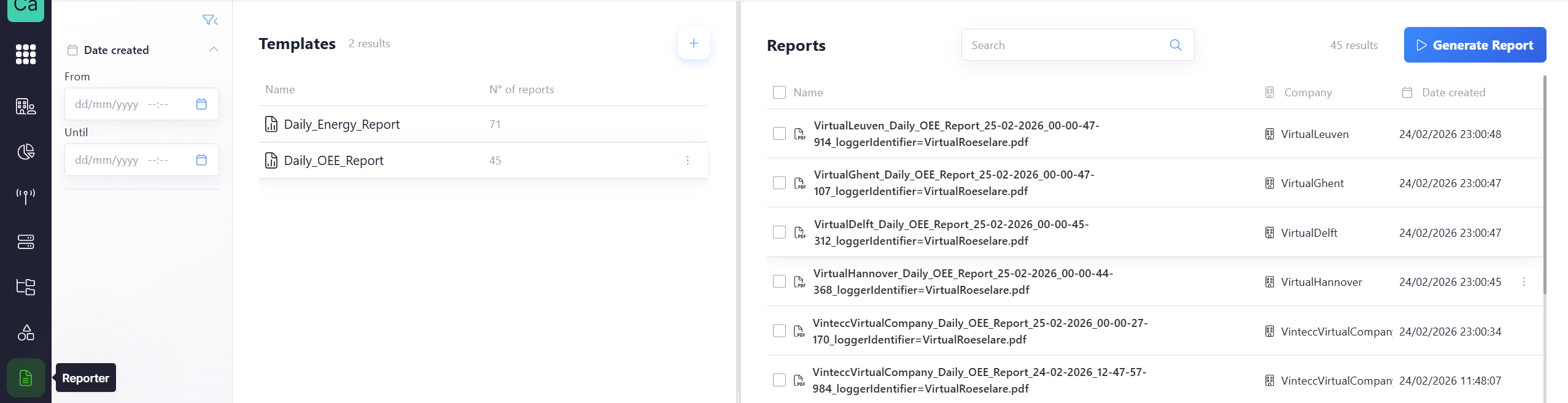
Left Panel — Templates
A template is a predefined report structure that can be used to generate reports. It includes the layout, fields, and filters that will be applied when creating a report.
- A vertical filter section allows filtering by Date created, with “From” and “Until” date fields.
- Below the filters, a list labeled Templates is displayed.
- Each row contains:
- A document icon
- The template name
- A column labeled “N° of reports”
An “Add” button (+) appears at the top right of the Templates panel.
Right Panel — Reports
Reports are generated based on the selected template and a selected time.
- At the top, there is:
- A Search field to filter reports by name
- A Generate Report button. Clicking this button creates a new report based on the selected template and the applied filters.
- The reports list contains columns:
- File name
- Company
- Date created