Roles
Summary
Every user will be assigned a role. This role has a set of permissions that defines what the user can see and manage on the platform.
Roles can be created on each level of the company structure, and they can be assigned to users on that level or any of its subcompanies (if rolesharing is enabled).
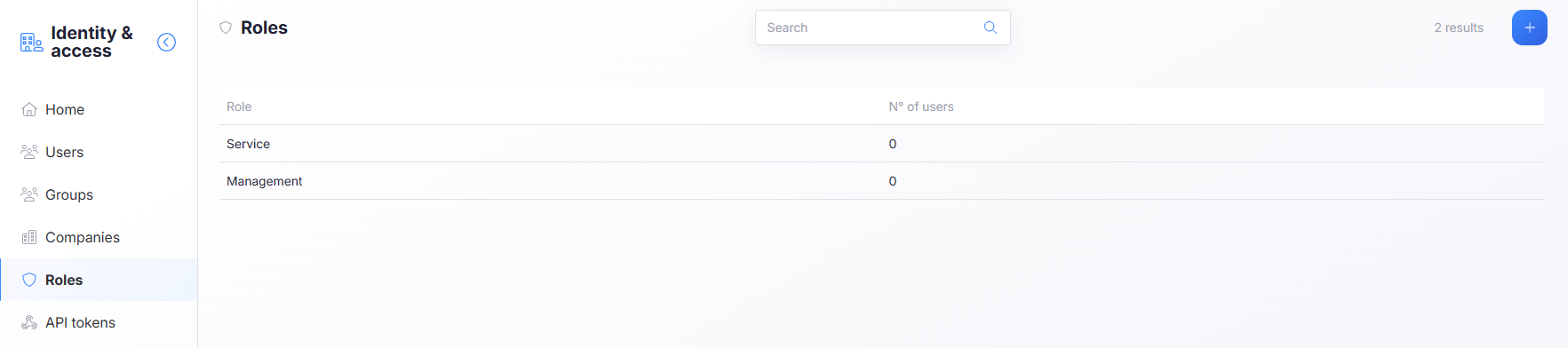
Properties
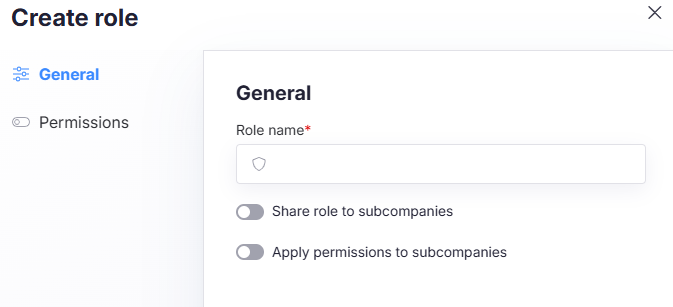
- Role name - Name of the role, this is unique per company
- Share role to sub-companies - If this is enabled, the role will be available for assignment to users in subcompanies, otherwise it will only be available for users in the same company.
- Apply permissions to subcompanies - If this is enabled, the users with this role will have the same permissions in the subcompanies.
Permissions on roles
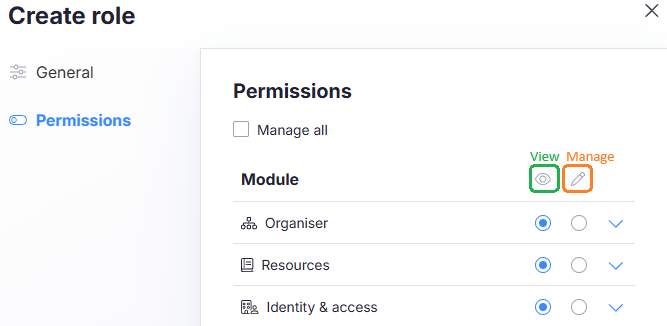
When setting permissions on a role, you can set view and manage permissions for each module.
info
You always need view permissions before you can enable manage permissions.
info
When creating or editing a role, you cannot change or add permissions you don't have on your own user, this means that if you don't have manage permissions on a module, you cannot give manage permissions to a role for that module.
Default roles
Instance_Admin
- Full access to all companies and subcompanies
- Can view and manage all platform modules
- Can view and manage dashboards
Enduser_Admin
- Access limited to own company only (no access to subcompanies)
- Can view and manage all platform modules
- Can view and manage dashboards
Platform_User
- Access limited to own company only (no access to subcompanies)
- Can view all platform modules
- Can view dashboards