Resource Library Documentation
Overview
The Resource Library is a centralized platform for managing and organizing various types of resources. It supports uploading, versioning, and linking resources to devices, fleets, and projects, ensuring traceability and efficient deployment.
Key Features
Resource Types
| Type | Description |
|---|---|
| Artifact Bundle | Files and key-value pairs that can be sent to an edge device. |
| Software Update | Represents the format of capture software update packages. |
| Installer | Capture installers that include a configuration for the edge device along with the installer. |
| Image | Images used in reporting and as homepage logos. |
| Software | Software packages that can be installed/shared on devices. |
Example Use Cases
Software Update Deployment
Link these updates to specific devices, fleets or projects to make sharing capture updates at the device level more efficient. example: Wanting to add software to 5 devices within a fleet => upload the software and link it to the fleet
Installer
Link a Capture installer with several devices, fleets or projects to have a capture installer available on all those devices. This is a special type since it sends the installer to the edge device along with a config.
Image
Upload an image to use it as an icon on the home screen or apply it to a report.
Software
Share software between multiple devices, fleets or projects efficiently by linking them. example: Retro capture software to transfer files between cloud and device.
Artifact Bundles
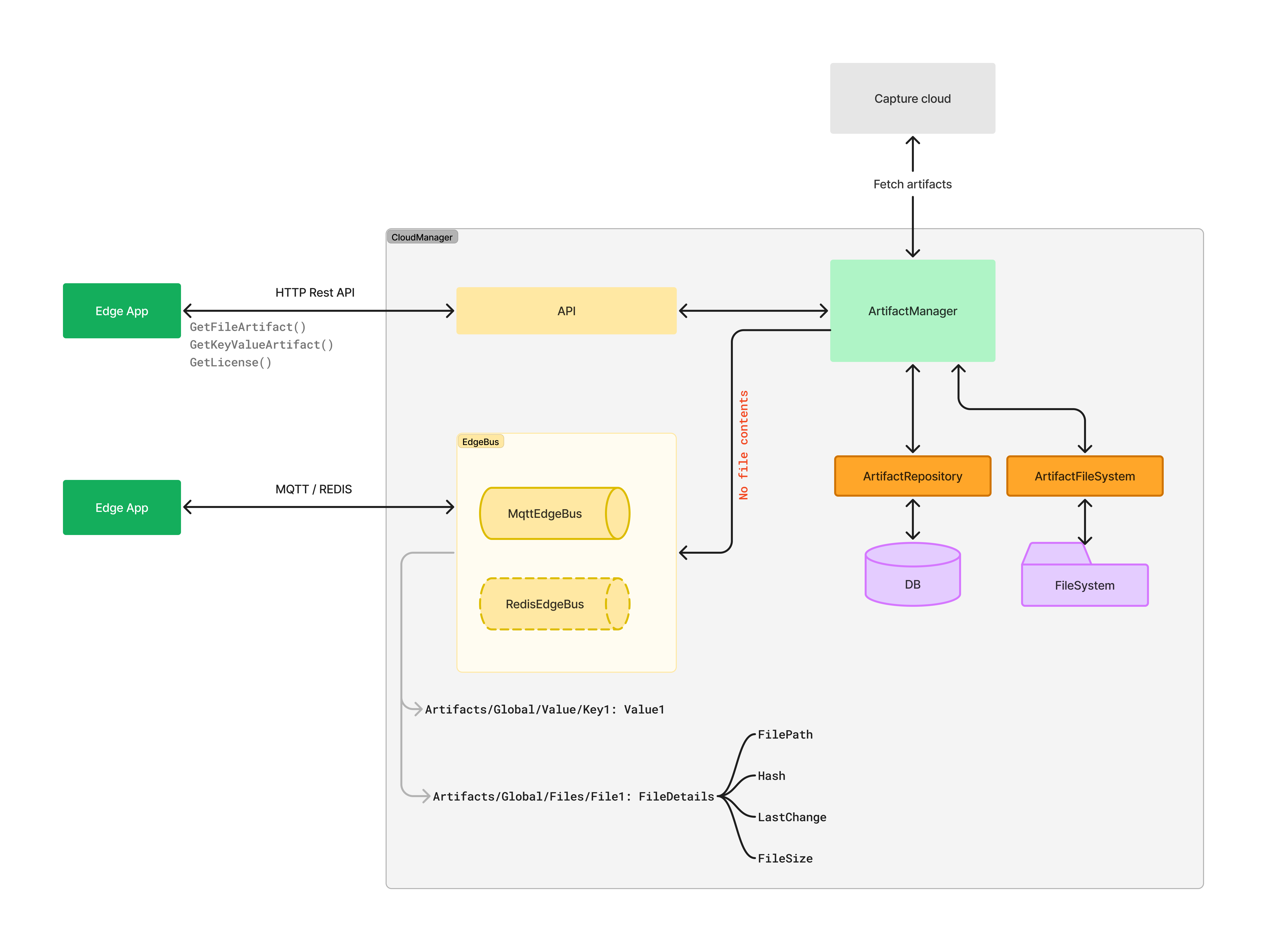
- Organize and assign multiple files and/or key-value artifacts to devices, fleets, and projects. This is used in for example plants that use both the files and the key value pairs to